100+ Best Gemini Prompts: Copy-Paste Templates for Almost Anything
A good Gemini prompt can save you 20 minutes of writing, turn messy notes into something useful, explain a difficult subject, analyze a document, generate ideas, or help you work through a problem.
But there’s a catch.
Most prompt lists give you hundreds of sentences to copy and paste without explaining when to use them, what information to add, or how to improve the result when Gemini gets it wrong.
That’s what this guide is designed to fix.
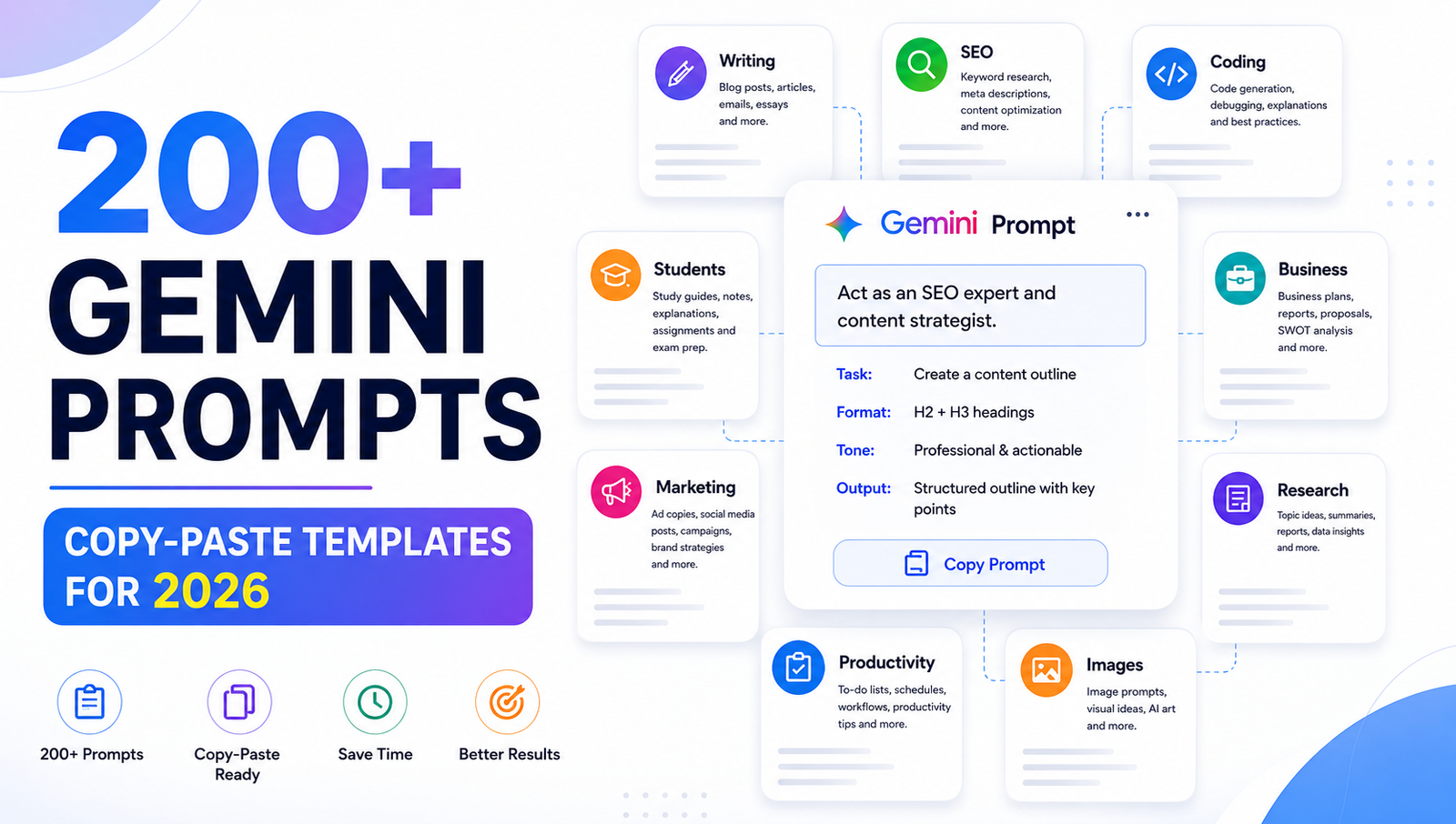
Here you’ll find 200+ practical Gemini prompts for writing, studying, research, coding, SEO, business, marketing, social media, productivity, Google Workspace, image creation, career development, data analysis, and everyday tasks.
More importantly, you’ll learn how to build your own prompts instead of depending on a list forever.
Quick answer: The most useful Gemini prompts usually make four things clear: what Gemini should do, what context it should use, and what the finished result should look like. Google’s own guidance describes these areas as Persona, Task, Context, and Format.
Jump to the Gemini Prompt You Need
| What you want to do | Prompt section (Link Active Soon) |
|---|---|
| Ask Gemini anything | General prompts |
| Write content | Writing prompts |
| Create blog posts | Blogging prompts |
| Improve SEO | SEO prompts |
| Study faster | Student prompts |
| Research a topic | Research prompts |
| Write or debug code | Coding prompts |
| Run a business | Business prompts |
| Create marketing campaigns | Marketing prompts |
| Create social content | Social media prompts |
| Get organized | Productivity prompts |
| Write emails | Communication prompts |
| Work with documents | Google Docs prompts |
| Analyze spreadsheets | Google Sheets prompts |
| Build presentations | Google Slides prompts |
| Create images | Image prompts |
| Find a job | Career prompts |
| Analyze data | Data prompts |
| Brainstorm creatively | Creative prompts |
| Solve everyday problems | Problem-solving prompts |
What Is a Gemini Prompt?
A Gemini prompt is the instruction, question, or information you give Google Gemini to tell it what you want.
It can be as simple as:
Explain photosynthesis.Or it can contain several pieces of information:
Act as a biology tutor.

Explain photosynthesis to a first-year college student.

Assume the student understands basic cell biology
but struggles with chemical reactions.

Use simple language, one analogy, and one worked example.

Finish with five quiz questions.
The second version gives Gemini a much clearer target.
Google’s current Workspace guidance recommends writing naturally, being clear and concise, providing context, using specific information, and breaking complex tasks into separate prompts.
The Simple Gemini Prompt Formula
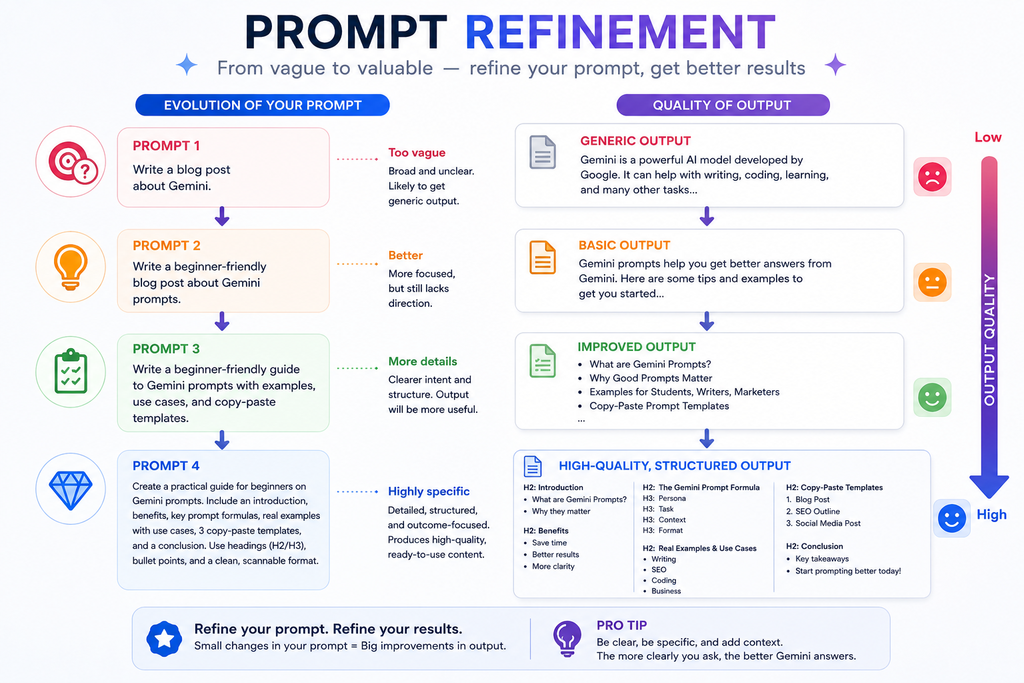
If you don’t know how to write a prompt, start here:
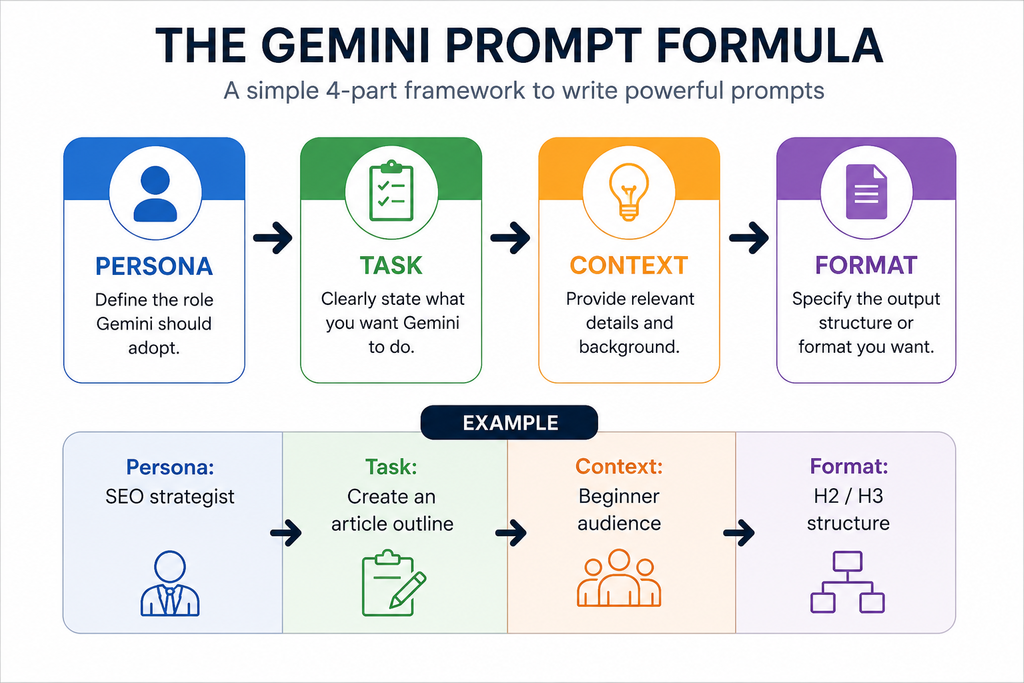
Persona + Task + Context + Format
Google identifies these four areas as useful components of effective prompts, while noting that you don’t necessarily need all four every time.
The template
Act as [ROLE].

Help me [TASK].

Context:
[RELEVANT INFORMATION]

My goal:
[DESIRED OUTCOME]

Return the answer as:
[FORMAT]
For example:
Act as an SEO content strategist.

Create an outline for an article targeting the keyword
"Gemini prompt."

The reader is a beginner who wants practical prompts
they can copy and use immediately.

Include common questions, examples, mistakes to avoid,
and useful prompt templates.

Return the outline using H2 and H3 headings.
Notice what makes this useful:
- Gemini knows the role
- Gemini knows the task
- Gemini knows the audience
- Gemini knows the goal
- Gemini knows the format
How to Get Better Results From a Gemini Prompt
Before jumping into the prompt library, remember these five rules.
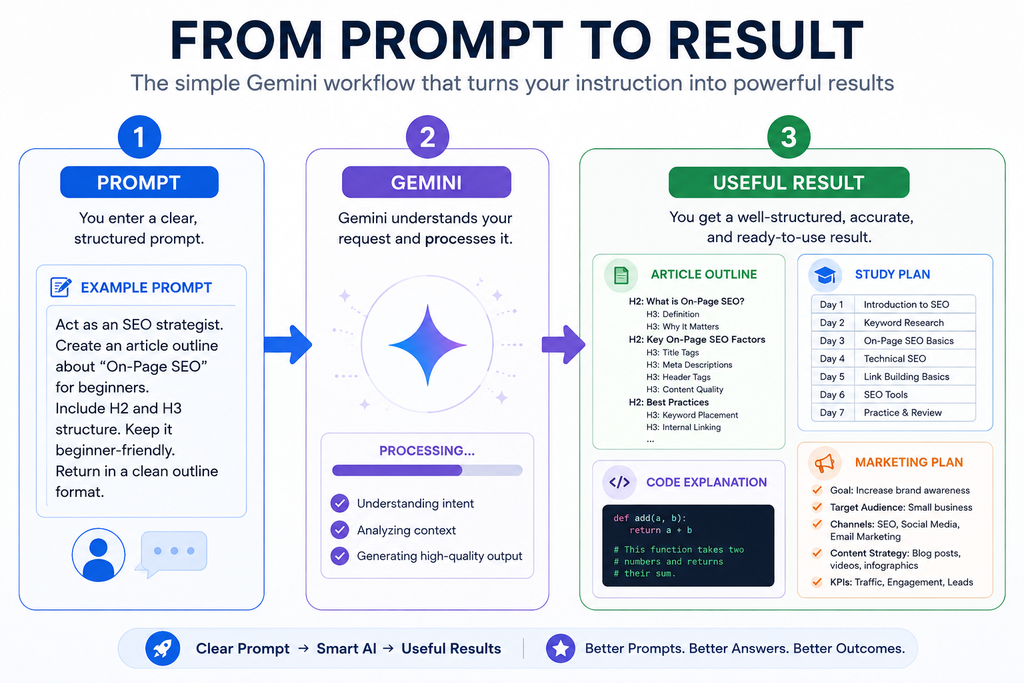
1. Give Gemini context
Instead of:
Write a marketing plan.try:
Create a 30-day marketing plan for a small online clothing store
targeting women aged 18–30.

The monthly budget is $1,000.

Focus on organic social media, email marketing, and SEO.

Return the plan as a weekly table.
Google explicitly recommends providing relevant context because it helps Gemini understand what you’re asking for.
2. Tell Gemini exactly what action to take
Compare:
Marketing.with:
Create 15 marketing campaign ideas for a new skincare brand.Words such as create, compare, summarize, analyze, rewrite, explain, extract, classify, brainstorm, and evaluate make the task much clearer.
3. Tell Gemini what the output should look like
For example:
Return the answer as a table with these columns:

Problem | Cause | Example | Solution
or:
Write exactly five bullet points.
Keep each point under 30 words.
Specific output instructions are especially useful when you need predictable formatting.
4. Don’t make every prompt enormous
More words don’t automatically mean better results.
In fact, Google’s current Gemini 3 guidance says the model responds well to precise, direct instructions and warns that overly elaborate prompting techniques can lead to over-analysis.
The goal isn’t to write the longest prompt.
The goal is to provide the right information.
5. Use follow-up prompts
Your first answer doesn’t have to be perfect.
Try:
Make this more concise.Give me three alternatives.Explain the second point with an example.Rewrite this for a beginner.What important information is missing?Prompting is often an iterative process rather than a one-message transaction. Google’s Workspace guidance specifically recommends building on prompts and breaking complex tasks into separate steps.
Bad Gemini Prompt vs. Better Gemini Prompt (with examples)
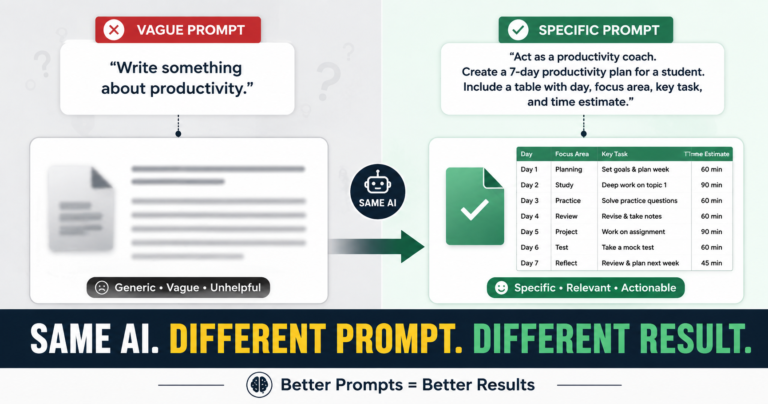
One of the easiest ways to understand prompting is to compare a vague instruction with a useful one.
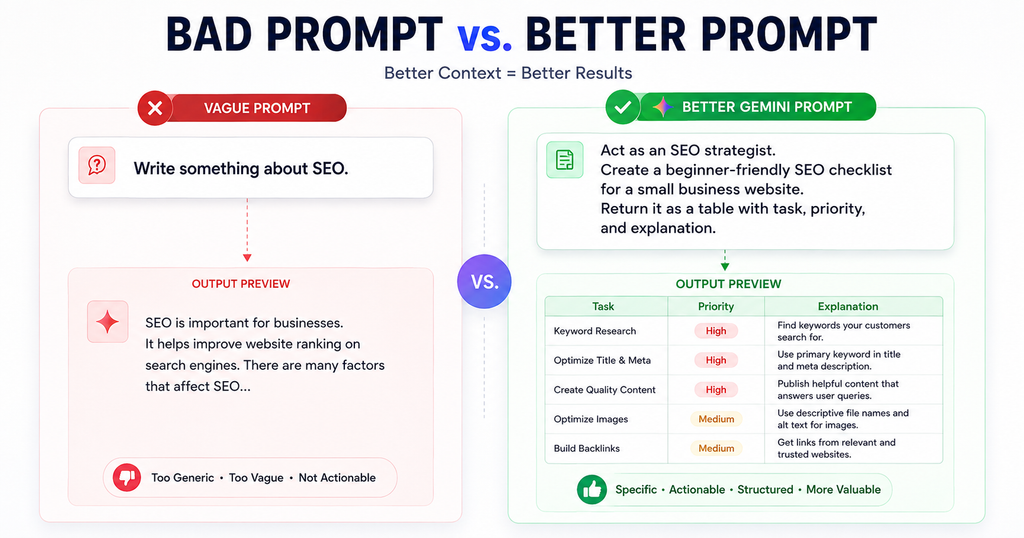
Example 1: Writing
❌ Bad prompt
Write a blog post about Gemini prompts.The problem isn’t that this prompt is technically wrong.
It’s that Gemini doesn’t know enough about the intended result.
Who is the reader?
What should the article accomplish?
How detailed should it be?
What should it include?
What should it avoid?
✅ Better prompt
Write a practical guide to Gemini prompts for beginners.

Audience:
People who have used Gemini but often receive generic answers.

Goal:
Teach readers how to create better prompts rather than simply
giving them a list of prompts.

Include:
- A simple prompt formula
- 20 practical examples
- Bad vs. better prompts
- Common mistakes
- Follow-up prompts
- Realistic use cases

Use clear headings and short paragraphs.

Prioritize useful examples over generic explanations.
Why the second prompt works better
It gives Gemini:
Audience → Goal → Scope → Requirements → Format → Priority
You aren’t merely asking it to “write.”
You’re defining the result you actually want.
Example 2: Studying
❌ Bad prompt
Help me study biology.✅ Better prompt
Act as my biology tutor.

I have an exam in 14 days.

I can study for two hours each day.

I'm comfortable with cell biology but struggle with genetics
and molecular biology.

Create a 14-day study plan.

Include:
- Daily topics
- Active-recall questions
- Practice tasks
- Revision days

Spend more time on genetics and molecular biology.

Don't give me the entire explanation at once.
Start by giving me the 14-day plan.
Why it works
The second prompt gives Gemini information it can actually use to customize the response.
Example 3: Coding
❌ Bad prompt
Fix my Python code.✅ Better prompt
Act as a beginner-friendly Python debugging tutor.

Here is my code:

[CODE]

Here is the error:

[ERROR]

First explain what caused the error.

Then show the smallest change needed to fix it.

After that, explain why the change works.

Don't rewrite the entire program unless necessary.
This also tells Gemini how you want the debugging process handled, rather than simply demanding a corrected program.
Example 4: SEO Content
❌ Bad prompt
Write an SEO article about Gemini prompts.✅ Better prompt
Help me plan a people-first article targeting the topic:

"Gemini prompt"

The reader is looking for practical prompts they can
copy, customize, and understand.

Before creating the outline, identify:

1. The likely search intent
2. The reader's main problems
3. Questions the article should answer
4. Important subtopics
5. Opportunities to provide original value

Then create the article outline.

Avoid adding sections solely to increase word count.
The difference is important.
You’re asking Gemini to understand the reader before producing the content.
200+ Gemini Prompts You Can Copy and Customize
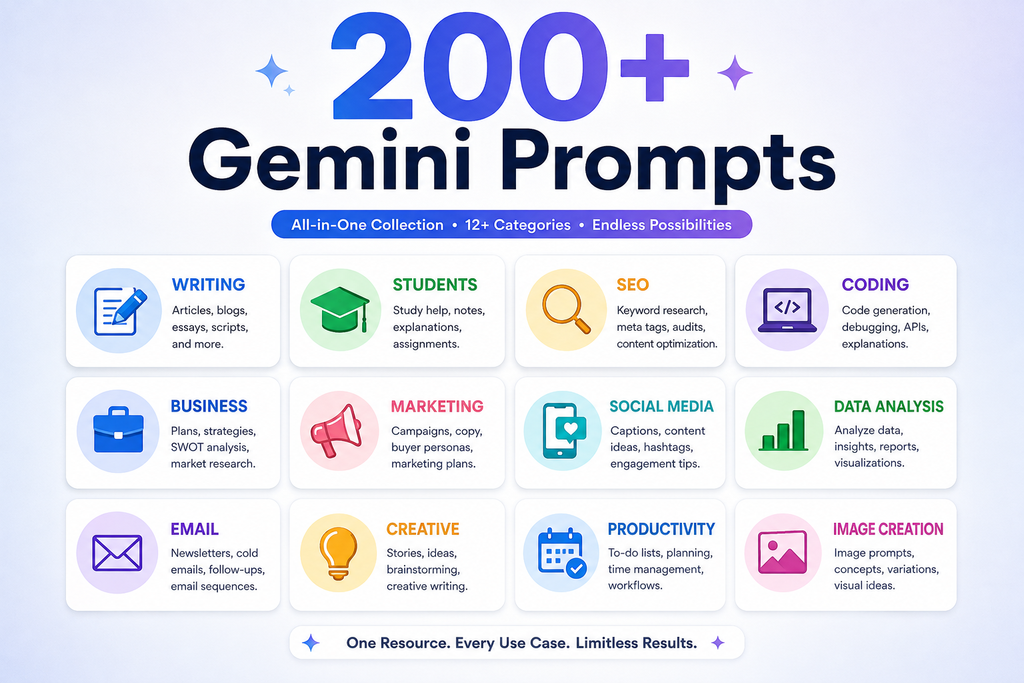
1. General Gemini Prompts
1. Explain a difficult topic
Explain [TOPIC] in simple language for someone who is completely new to it.

Avoid unnecessary jargon and give two everyday examples.
2. Explain something like a teacher
Act as a patient teacher.

Teach me [TOPIC] from the basics.

Start with the simplest concept and gradually introduce
more advanced ideas.
3. Explain step by step
Explain how [PROCESS] works step by step.

Do not skip important steps.
Give a short example after each major stage.
4. Compare two options
Compare [OPTION A] and [OPTION B].

Create a table covering:
Features
Advantages
Disadvantages
Cost
Difficulty
Best use cases

End with a recommendation for [TYPE OF USER].
5. Brainstorm ideas
Give me 20 practical ideas for [GOAL].

Avoid obvious or repetitive suggestions.
Group the ideas into categories.
6. Find the pros and cons
Analyze [IDEA/DECISION].

List:
- Advantages
- Disadvantages
- Risks
- Opportunities

Then give me a balanced conclusion.
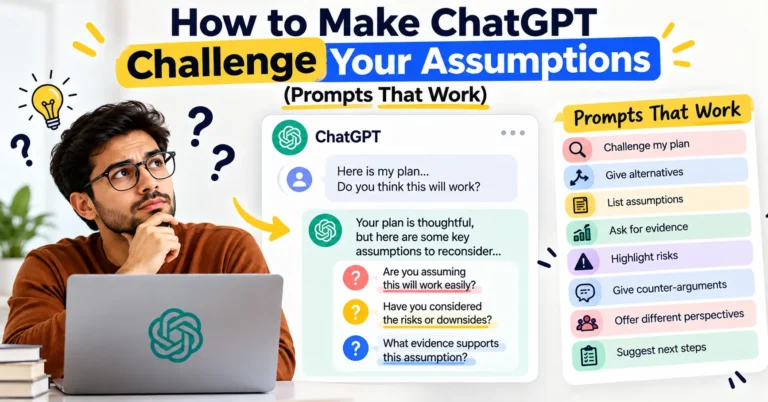
7. Challenge my idea
Critically evaluate this idea:

[IDEA]

Identify assumptions, weaknesses, risks,
missing information, and alternative approaches.
8. Turn notes into a plan
Turn these notes into a practical action plan:

[NOTES]

Organize it into:
Priority
Task
Deadline
Next step
9. Ask better questions
I'm trying to understand [TOPIC].

Give me 15 questions that would help me understand
the subject more deeply.

Arrange them from beginner to advanced.
10. Simplify technical information
Rewrite the following explanation for a complete beginner.

Keep the important information but remove unnecessary jargon:

[TEXT]
2. Gemini Prompts for Writing
11. Write an article
Write an article about [TOPIC].

Audience: [AUDIENCE]
Purpose: [PURPOSE]
Tone: [TONE]
Length: [WORD COUNT]

Use clear headings, practical examples, and short paragraphs.
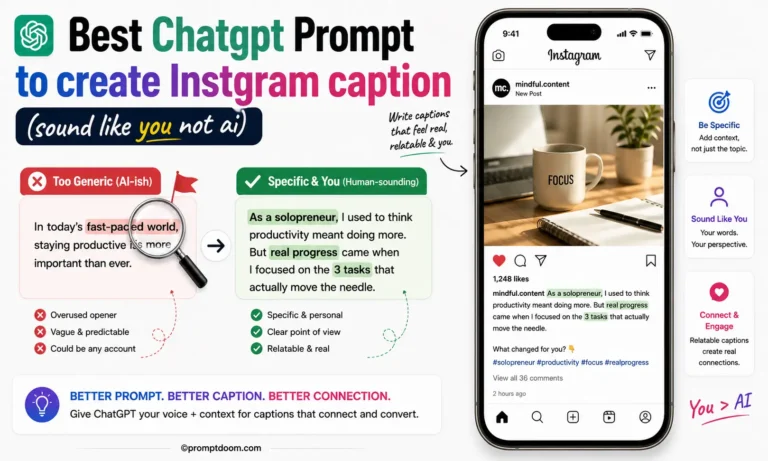
12. Rewrite AI-sounding content
Rewrite this so it sounds natural and human.

Keep the original meaning and factual information.

Remove unnecessary repetition, generic phrases,
corporate language, and awkward transitions.

[TEXT]
13. Improve clarity
Improve the clarity of this text without changing its meaning:

[TEXT]

Keep the original voice where possible.
14. Make writing concise
Reduce this text by approximately 40%.

Keep the important information, examples, and meaning.

[TEXT]
15. Change the tone
Rewrite this in a [FRIENDLY/PROFESSIONAL/CONVERSATIONAL/
ACADEMIC/CONFIDENT] tone.

[TEXT]
16. Create headlines
Generate 20 headlines for:

[TOPIC]

Include practical, straightforward, curiosity-driven,
and search-friendly options.

Avoid clickbait.
17. Write an introduction
Write an introduction for an article about [TOPIC].

The reader is [AUDIENCE].

Start with the problem the reader is trying to solve,
explain why it matters, and tell the reader what they
will learn.

Avoid generic introductions.
18. Write a conclusion
Write a conclusion for this article:

[ARTICLE]

Summarize the most useful lessons and give the reader
a clear practical takeaway.

Don't simply repeat the introduction.
19. Edit grammar
Correct grammar, spelling, punctuation, and awkward phrasing
in the following text.

Do not change the intended meaning:

[TEXT]
20. Make it easier to read
Rewrite this for easier reading.

Use shorter sentences, clearer transitions,
specific language, and natural wording.

[TEXT]
3. Gemini Prompts for Blog Posts
This is where you can turn Gemini from a simple writing tool into a structured content assistant.
21. Create a blog outline
Create a detailed blog outline for:

Topic: [TOPIC]
Primary keyword: [KEYWORD]
Audience: [AUDIENCE]

Include:
- Search intent
- Main questions
- H2 headings
- H3 headings
- Examples
- Common mistakes
- FAQ ideas

Prioritize useful information over word count.
22. Find content gaps
Review this outline:

[OUTLINE]

What important questions or subtopics are missing?

Focus on information that would genuinely help the reader.
Don't add sections simply to make the article longer.
23. Create a content brief
Create a content brief for [KEYWORD].

Include:
Search intent
Target reader
Main problem
Questions to answer
Important subtopics
Examples
Common mistakes
FAQ ideas
Potential unique angles
24. Improve an existing article
Audit this article for reader usefulness:

[ARTICLE]

Identify:
1. Missing information
2. Repetition
3. Weak explanations
4. Unsupported claims
5. Places needing examples
6. Sections that don't satisfy the reader's likely question

Then recommend the three most important improvements.
25. Find opportunities for original information
Review this article:

[ARTICLE]

What could I add that would make this page substantially
more useful than a generic article covering the same topic?

Prioritize:
- Original examples
- First-hand observations
- Practical tests
- Comparisons
- Data
- Step-by-step demonstrations
4. Gemini Prompts for SEO
Don’t use these simply to insert keywords.
Use them to understand what the searcher actually wants.
26. Analyze search intent
Analyze the search intent behind:

[KEYWORD]

Identify:
- Likely user goal
- Questions the searcher wants answered
- Problems they are trying to solve
- Best content format
- Information a useful page should provide
27. Create an SEO content outline
Create a people-first content outline for:

Primary keyword: [KEYWORD]

The article should satisfy the reader's underlying goal,
not simply repeat the keyword.

Include important questions, examples, practical advice,
and related subtopics.
28. Find related topics
Create a topical map around [MAIN TOPIC].

Group the results into:
Core topics
Supporting topics
Related concepts
Questions
Use cases
Common problems
29. Create title tags
Create 15 title tag options for:

[TOPIC]
Primary keyword: [KEYWORD]

Make them accurate, useful, and compelling without clickbait.
30. Write meta descriptions
Write five meta descriptions for:

[PAGE TOPIC]

Primary keyword:
[KEYWORD]

Clearly communicate what the page offers.
31. Audit keyword usage
Review this article:

[ARTICLE]

Primary keyword: [KEYWORD]

Identify unnatural keyword repetition or awkward keyword placement.

Suggest natural alternatives.
32. Find internal-link opportunities
Here are my existing articles:

[ARTICLE LIST]

My new article is about [TOPIC].

Suggest relevant internal links and explain how each
would help the reader.
33. Improve information gain
Analyze this article:

[ARTICLE]

What genuinely useful information could be added that
would give the reader something beyond a generic summary?

Prioritize practical examples, original analysis,
comparisons, demonstrations, and useful details.
5. Gemini Prompts for Students
34. Explain a chapter
Act as my tutor.

Explain this chapter:

[CHAPTER]

Start with the core concept, then explain each important section,
followed by examples and a short recap.
35. Create revision notes
Turn these study materials into revision notes:

[TEXT]

Include:
Definitions
Important facts
Formulas
Examples
Common mistakes
36. Create a study plan
Create a [7/14/30]-day study plan for [SUBJECT].

Current level: [LEVEL]
Available time per day: [TIME]
Exam date: [DATE]

Include learning, revision, and practice.
37. Generate quiz questions
Create 20 quiz questions about [TOPIC].

Mix easy, medium, and difficult questions.

Give the answers separately so I can test myself first.
38. Become my Socratic tutor
Act as a Socratic tutor for [SUBJECT].

Ask me one question at a time.

Don't immediately give me the answer.
Use my responses to guide me toward understanding.
39. Create flashcards
Create 30 flashcards from these notes:

[NOTES]

Format:

Question:
Answer:
40. Prepare for a viva
Act as a viva examiner for my project:

[PROJECT TOPIC]

Ask questions from basic to advanced.

After each answer, tell me what I could improve.
6. Gemini Prompts for Research
41. Build a research framework
Help me research [TOPIC].

First identify the major questions that need to be answered.

Then organize them into:
Background
Causes
Evidence
Debates
Applications
Limitations
Future directions
42. Summarize a research paper
Summarize this research paper:

[PAPER]

Include:
Research question
Method
Main findings
Limitations
Practical significance
43. Compare studies
Compare these studies:

[STUDY A]
[STUDY B]

Compare:
Objective
Method
Sample
Findings
Limitations
Agreement/disagreement
44. Find research gaps
Based only on this material:

[TEXT]

Identify possible research gaps.

For each gap explain:
What is known
What remains unclear
What research could address it
45. Create a literature-review structure
Create a literature-review structure for:

[TOPIC]

Organize the review around major themes and debates
rather than simply summarizing one source after another.
7. Gemini Prompts for Coding
46. Explain code line by line
Explain this code line by line:

[CODE]

Assume I am a beginner.

For every important line, explain what it does
and why it is necessary.
47. Debug an error
Debug this code:

[CODE]

Error:
[ERROR]

Explain:
1. What caused the problem
2. Where it occurs
3. How to fix it
4. How to prevent similar errors
48. Refactor code
Refactor this code for readability and maintainability:

[CODE]

Keep the same functionality.

Explain the most important changes.
49. Create test cases
Create test cases for this function:

[CODE]

Include:
Normal cases
Edge cases
Invalid inputs
Expected outputs
50. Review code
Act as a senior developer.

Review this code:

[CODE]

Look for:
Bugs
Security issues
Performance problems
Unnecessary complexity
Maintainability issues

Rank the problems by severity.
8. Gemini Prompts for Business
51. Evaluate a business idea
Evaluate this business idea:

[IDEA]

Analyze:
Customer problem
Target market
Competition
Revenue model
Risks
Advantages
Assumptions that need validation
52. Create a business plan
Create a business-plan outline for:

Business:
[BUSINESS]

Industry:
[INDUSTRY]

Target customer:
[CUSTOMER]

Include the sections an investor or lender would expect.
53. Create a customer persona
Create a customer persona for:

[PRODUCT/SERVICE]

Include:
Goals
Problems
Buying triggers
Objections
Preferred channels
Decision criteria
54. SWOT analysis
Create a SWOT analysis for:

[BUSINESS]

Separate known information from assumptions.
55. Competitor analysis
Create a competitor-analysis framework for [BUSINESS].

Compare:
Positioning
Target audience
Features
Pricing
Strengths
Weaknesses
Differentiation
9. Gemini Prompts for Marketing
56. Create a marketing strategy
Create a marketing strategy for:

Product:
[PRODUCT]

Audience:
[AUDIENCE]

Budget:
[BUDGET]

Goal:
[GOAL]

Timeframe:
[TIMEFRAME]

Prioritize channels and explain why they fit.
57. Generate campaign ideas
Generate 20 campaign ideas for [PRODUCT].

Target audience:
[AUDIENCE]

Main benefit:
[BENEFIT]

Avoid generic ideas.
58. Find customer objections
List 20 strong objections customers may have
about buying [PRODUCT].

For each objection, provide an honest response.
59. Create a landing page
Create a landing-page structure for [PRODUCT].

Include:
Headline
Subheadline
Problem
Solution
Benefits
Proof
Objection handling
CTA
FAQ
60. Build a marketing funnel
Create a marketing funnel for [BUSINESS].

Explain what content or offer should be used at:

Awareness
Consideration
Decision
Retention
10. Gemini Prompts for Social Media
61. LinkedIn post
Write a LinkedIn post about [TOPIC].

Audience:
[AUDIENCE]

Tone:
Thoughtful and conversational.

Start with a useful observation rather than a generic motivational hook.
62. Social-media calendar
Create a 30-day social-media calendar for:

Business:
[BUSINESS]

Audience:
[AUDIENCE]

Include:
Topic
Format
Hook
CTA
63. Repurpose an article
Repurpose this article into:

5 LinkedIn posts
5 short social posts
10 hooks
5 carousel ideas
3 short-video concepts

Article:
[ARTICLE]
64. Generate hooks
Generate 30 hooks for content about [TOPIC].

Avoid clickbait and exaggerated claims.
65. Create a short video
Write a 45-second video script explaining [TOPIC].

Structure:

Hook
Problem
Explanation
Example
Takeaway
CTA
11. Gemini Prompts for Productivity
66. Plan my day
Create a realistic plan for today.

Tasks:
[TASKS]

Available time:
[TIME]

Prioritize important work and include reasonable breaks.
67. Prioritize tasks
Prioritize these tasks:

[TASKS]

Consider:
Impact
Urgency
Effort
Dependencies
Consequences of delay
68. Break down a goal
Break this goal into manageable steps:

[GOAL]

Create milestones and the first five actions I should take.
69. Create a project plan
Create a project plan for:

[PROJECT]

Deadline:
[DATE]

Resources:
[RESOURCES]

Include:
Milestones
Dependencies
Risks
Owners
Deliverables
70. Organize messy notes
Organize these notes into:

Key information
Decisions
Action items
Questions
Priorities

Notes:
[NOTES]
12. Gemini Prompts for Google Workspace
Gemini’s Workspace capabilities cover products including Docs, Sheets, Slides and Vids, with availability depending on the applicable Google Workspace or Google AI plan.
71. Google Docs summary
Summarize this document into:

Main point
Key arguments
Important facts
Decisions
Action items

[DOCUMENT]
72. Google Docs rewrite
Rewrite this section for clarity without changing its meaning:

[TEXT]
73. Google Sheets analysis
Analyze this spreadsheet data:

[DATA]

Identify:
Major trends
Unusual values
Important patterns
Questions worth investigating
74. Google Sheets formula
I need a Google Sheets formula that does this:

[REQUIREMENT]

Explain the formula and show an example.
75. Google Slides presentation
Create a 10-slide presentation about [TOPIC].

Audience:
[AUDIENCE]

Goal:
[GOAL]

For each slide provide:
Title
Key points
Suggested visual
Speaker notes
13. Gemini Prompts for Emails
76. Professional email
Write a professional email about [SUBJECT].

Recipient:
[RECIPIENT]

Goal:
[GOAL]

Tone:
Polite and direct.
77. Follow-up email
Write a concise follow-up email after [EVENT].

Purpose:
[PURPOSE]

Avoid sounding pushy.
78. Customer complaint response
Write a calm response to this customer complaint:

[COMPLAINT]

Acknowledge the issue, avoid defensiveness,
and propose a reasonable next step.
79. Difficult conversation
Help me prepare for a difficult conversation about:

[SITUATION]

Give me:
What to say
What not to say
Questions to ask
Possible responses
Ways to keep the conversation constructive
14. Gemini Prompts for Career Development
80. Resume audit
Review my resume for [JOB ROLE]:

[RESUME]

Identify:
Weak bullets
Vague language
Missing evidence
Relevant experience that isn't emphasized
81. Improve a resume bullet
Turn this responsibility into a stronger resume bullet:

[RESPONSIBILITY]

Keep it truthful.

Focus on action, result, and measurable impact where available.
82. Mock interview
Act as an interviewer for [ROLE].

Ask one question at a time.

After each answer:
1. Give concise feedback.
2. Identify what was strong.
3. Suggest what I could improve.
4. Ask the next question.
83. Skill-gap analysis
I want to become a [ROLE].

Current skills:
[SKILLS]

Identify the most important skill gaps
and create a practical learning roadmap.
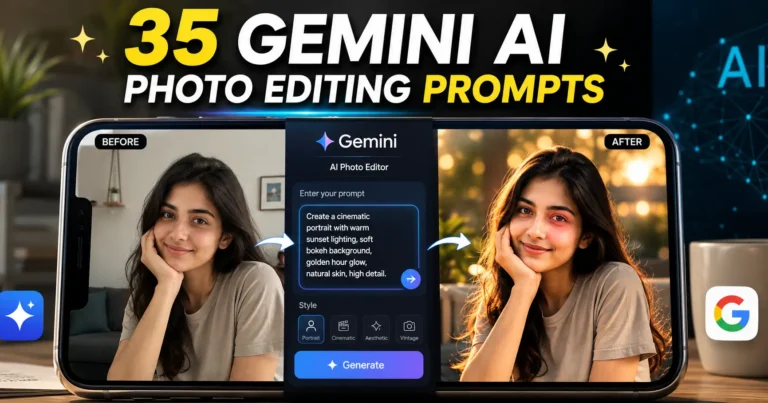
15. Gemini Prompts for Image Creation
Gemini’s image capabilities vary by the specific Gemini product and model, so don’t assume every Gemini interface supports every image feature. Google’s current developer documentation lists image-generation capabilities for applicable models.
84. Product image
Create a realistic commercial product image of [PRODUCT].

Setting:
[SETTING]

Lighting:
[LIGHTING]

Composition:
[COMPOSITION]

Style:
Premium product photography
85. Blog thumbnail
Create a clean blog-thumbnail concept for:

[TITLE]

Main visual:
[VISUAL]

Style:
Modern editorial

Keep the composition simple and leave clear space for text.
86. Cinematic image
Create a cinematic scene showing [SCENE].

Mood:
[MOOD]

Lighting:
[LIGHTING]

Camera angle:
[ANGLE]

Style:
Realistic cinematic photography
87. Infographic
Create an infographic explaining [TOPIC].

Organize the information into 5–7 visual sections.

Prioritize readability and a clear visual hierarchy.
16. Gemini Prompts for Data Analysis
88. Find trends
Analyze this dataset:

[DATA]

Identify the strongest trends.

Explain what they might indicate.

Do not confuse correlation with causation.
89. Find anomalies
Look for unusual values or patterns in:

[DATA]

Explain why each one deserves investigation.
90. Create KPIs
Suggest KPIs for [BUSINESS/PROJECT].

For each KPI provide:
Definition
Formula
Data source
Target
Why it matters
91. Executive summary
Turn this analysis into a one-page executive summary:

[ANALYSIS]

Focus on:
Key findings
Implications
Risks
Recommended actions
17. Gemini Prompts for Creative Work
92. Story ideas
Generate 10 original story premises about [THEME].

Each should have:
A distinct conflict
Setting
Main character
Central problem
93. Character development
Create a detailed character profile for [CHARACTER].

Include:
Motivations
Fears
Contradictions
Relationships
History
Strengths
Weaknesses
Character arc
94. Story outline
Create a three-act story outline about [IDEA].

Include:
Major turning points
Conflict escalation
Character development
Ending
95. Creative critique
Critique this creative idea:

[IDEA]

Identify:
What is interesting
What feels generic
What could make it more distinctive
18. Gemini Prompts for Problem Solving
96. Make a decision
Help me decide between:

[OPTION A]
[OPTION B]

My priorities are:
[PRIORITIES]

Identify the trade-offs before making a recommendation.
97. Troubleshoot a problem
Help me troubleshoot:

[PROBLEM]

Start with the most likely causes.

Give me one diagnostic step at a time.
98. Build a checklist
Create a checklist for:

[TASK]

Divide it into:
Preparation
Execution
Verification
Follow-up
99. Work within constraints
Create the best possible plan given these constraints:

Goal:
[GOAL]

Budget:
[BUDGET]

Time:
[TIME]

Resources:
[RESOURCES]

Restrictions:
[RESTRICTIONS]
19. Advanced Gemini Prompts
These are useful when you need more structured reasoning or a predictable result.
100. Fact vs. inference
Analyze the following information:

[TEXT]

Separate your response into:

Facts directly supported by the text
Reasonable inferences
Uncertain claims
Information requiring verification
101. Assumption checker
Analyze my plan:

[PLAN]

List every important assumption.

Separate:
Testable assumptions
Unsupported assumptions
High-risk assumptions
102. Decision framework
Help me decide about:

[DECISION]

First identify the criteria.

Then identify missing information.

Then compare the options.

Finally explain the trade-offs and recommendation.
103. Expert + beginner explanation
Explain [TOPIC] twice.

Version 1:
Complete beginner

Version 2:
Intermediate learner

Then explain what changes between the two explanations.
104. Critic and improver
Review this draft:

[DRAFT]

First identify the five biggest weaknesses.

Then rewrite only the sections that need improvement.

Finally explain the changes.
20. Gemini Follow-Up Prompts
This section is important because the first Gemini response doesn’t have to be your final response.
105. Make it clearer
Explain that again using simpler language and one concrete example.106. Go deeper
Go one level deeper.

Focus on the reasoning behind the answer rather than repeating the summary.
107. Make it shorter
Reduce the answer to the five most important points.108. Add examples
Give me three realistic examples showing how this works in practice.109. Critique the previous answer
Critique your previous answer.

What assumptions, weaknesses, or missing information should I know about?
110. Improve it
Rewrite the previous answer after addressing the weaknesses you identified.111. Change the audience
Rewrite the previous answer for [AUDIENCE].

Keep the important information but adapt the explanation.
112. Change the format
Turn the previous answer into a table:

Issue | Explanation | Example | Action
113. Remove fluff
Rewrite the answer without introductions, filler,
repetition, or generic statements.

Keep only useful information.
114. Give alternatives
Give me three alternative approaches.

Explain when each approach would be the best choice.
The Best Gemini Prompt Template to Save
If you only save one prompt from this entire guide, make it this:
Act as [ROLE].

Help me [SPECIFIC TASK].

Context:
[RELEVANT INFORMATION]

My goal:
[DESIRED OUTCOME]

Important requirements:
[REQUIREMENTS]

Return the result as:
[FORMAT]
You don’t need to fill every field every time.
For a simple request:
Explain [TOPIC] to a beginner using one example.may be enough.
For a complicated project:
Act as a project manager.

Help me plan [PROJECT].

Context:
[PROJECT DETAILS]

Goal:
[GOAL]

Deadline:
[DATE]

Constraints:
[CONSTRAINTS]

Return:
Milestones
Tasks
Dependencies
Risks
Next steps
is much more useful.
Why Some Gemini Prompts Work Better Than Others
The difference isn’t usually some secret “AI magic word.”
It’s information.
Consider:
Weak Gemini prompt
Write a study plan.Better Gemini prompt
Create a 30-day biology study plan.

I can study two hours per day.

I'm strong in cell biology but weak in genetics.

My exam is in 30 days.

Include daily topics, active recall,
practice questions, and weekly revision.
The second prompt tells Gemini what matters.
That’s the principle to remember:
Better prompts don’t necessarily contain more words. They contain more useful information.
This aligns with Google’s current guidance: use natural language, provide context, be specific, and use clear instructions.
What If Gemini Gives You a Bad Answer?
Don’t immediately start over.
First identify why the answer was poor.
Gemini is too generic
Add:
My audience is [AUDIENCE].
Their biggest problem is [PROBLEM].
The desired result is [OUTCOME].
Gemini is too verbose
Try:
Answer in no more than 300 words.

Use five bullet points maximum.
Gemini ignores your desired format
Give it an exact structure:
Use this structure:

Problem:
Cause:
Example:
Solution:
Next step:
Gemini misunderstands the task
Replace vague instructions like:
“Tell me about…”
with specific actions:
Analyze
Compare
Summarize
Rewrite
Extract
Classify
Create
Explain
The task is too complicated
Break it into multiple prompts.
Google specifically recommends separating complex tasks into smaller prompts when appropriate.
How to Get More Original Results From Gemini
If Gemini gives you something that sounds generic, simply saying:
Make it more original.usually isn’t enough.
Give it examples and constraints.
Try:
Here are three examples of the type of result I like:

[EXAMPLE 1]
[EXAMPLE 2]
[EXAMPLE 3]

Create a new result for [TASK].

Do not copy the examples.

Identify the qualities that make them effective
and apply those qualities to the new result.
You can also provide:
- your previous work
- brand guidelines
- examples you like
- examples you dislike
- source material
- audience information
- constraints
- desired output
That gives Gemini a much more specific target.
Gemini Prompts for Long Documents
When you’re working with a large document, don’t bury the actual question in a huge block of instructions.
For Gemini 3, Google’s current guidance recommends placing the specific question or instruction after the relevant context when working with large datasets such as books, codebases, or long videos.
Use:
Here is the source material:

[DOCUMENT]

Based only on the information above:

1. Identify the three main arguments.
2. Explain the evidence supporting each.
3. Identify unresolved questions.
4. Summarize the conclusion in 100 words.
This is particularly useful for:
- PDFs
- reports
- research papers
- books
- meeting notes
- codebases
- transcripts
- large datasets
Gemini Prompts vs. ChatGPT Prompts
You don’t necessarily need completely different prompting language for Gemini.
Many basic instructions can work across AI systems.
What matters more is understanding the capabilities of the particular model or product you’re using.
For Gemini, Google’s current ecosystem includes workflows involving text, documents, multimodal inputs, tools, and other capabilities depending on the product and model.
So instead of asking:
“What’s the secret Gemini prompt?”
think:
“What can Gemini help me accomplish, and what context does it need to do that well?”
That’s a much more useful question.
Gemini Prompts and Gems
If you perform the same task repeatedly, you may not want to paste the same instructions every time.
That’s where Gems can become useful.
Google describes Gems as customized versions of Gemini and recommends giving them clear goals, behaviors, context, and output formats—the same basic building blocks used for good prompts.
For example, you could create an editorial Gem with instructions such as:
You are my content editor.

Review articles for:

Clarity
Originality
Reader usefulness
Unsupported claims
Repetition
Missing explanations

Do not automatically rewrite the article.

First provide:
1. Major problems
2. Missing information
3. Recommended improvements

Only rewrite after I approve the changes.
This is more useful than repeatedly typing the same instructions.
Gemini Prompt Mistakes to Avoid
1. Being too vague
Bad:
Help with SEO.Better:
Create an SEO content brief for an article targeting
"Gemini prompt."

Identify the searcher's likely goal, questions,
important subtopics, examples, and potential content gaps.
2. Conflicting instructions
Avoid:
Write a very detailed 2,000-word answer in 50 words.Give Gemini instructions that can realistically coexist.
3. Unnecessary role-play
You don’t always need:
“You are the world’s greatest expert…”
A relevant role is useful when it changes the perspective or output.
Otherwise, a direct instruction is often enough.
4. Asking for everything at once
Don’t necessarily ask Gemini to:
research → write → fact-check → edit → optimize → format
in one enormous prompt.
Break the workflow into stages.
5. Assuming Gemini is always correct
AI-generated information can contain errors.
For important decisions, verify critical claims against reliable sources.
Google itself cautions that Gemini features may suggest inaccurate or inappropriate information and says users should not rely on them as professional medical, legal, financial, or other professional advice.
A Better Way to Think About Prompting
Here’s the workflow I recommend:
Context → Task → Output → Review → Refine
For example:
Step 1 — Context
I run a small online clothing store.Step 2 — Task
Create a 30-day Instagram content plan.Step 3 — Output
Return it as a table with topic, hook, format and CTA.Step 4 — Review
Which five ideas are most likely to be difficult for a small
business to execute?
Step 5 — Refine
Replace those five ideas with simpler alternatives.This is far more powerful than endlessly searching for a “perfect prompt.”
Frequently Asked Questions About Gemini Prompts
What is a Gemini prompt?
A Gemini prompt is an instruction, question, or set of contextual information provided to Google Gemini to generate an answer or perform a task. Useful prompts generally make the task clear and provide relevant context and output requirements when needed.
What is the best Gemini prompt?
There isn’t one universal best Gemini prompt. The right prompt depends on the task. A useful starting structure is Persona + Task + Context + Format, although you only need the components relevant to your request.
How do I write a good Gemini prompt?
Start with a clear action, provide relevant context, explain the desired outcome, and specify the format when necessary. Google’s guidance recommends natural language, clear instructions, context, and specific information.
Can I copy and paste Gemini prompts?
Yes. You can copy these templates and replace the text inside [brackets] with your own information.
Why does Gemini sometimes give generic answers?
Usually, Gemini doesn’t have enough information about the task, audience, context, or desired output. Adding specific context and a clear format can make the result more useful.
Should Gemini prompts be long?
Not necessarily. Google’s current Gemini 3 guidance recommends concise, precise, direct instructions rather than unnecessarily complicated prompting techniques.
Can Gemini analyze documents?
Gemini supports document and multimodal workflows, although available features depend on the specific Gemini product, model, and plan.
Can Gemini create images?
Image-generation capabilities are available in applicable Gemini models and products, but features vary depending on the specific model and interface.
How can I make Gemini give shorter answers?
Give it an explicit limit:
Answer in 150 words maximum.

Use five bullet points.

Don't include an introduction or conclusion.
How can I make Gemini give more detailed answers?
Instead of simply saying “be detailed,” tell Gemini what dimensions you want expanded:
Explain [TOPIC].

For each concept include:
Definition
How it works
Example
Common mistake
Practical application
What should I do when a Gemini prompt doesn’t work?
Identify the problem first. The prompt may lack context, have conflicting instructions, use the wrong format, or ask Gemini to perform too many tasks simultaneously. Change one part at a time and test again.
Final Takeaway
The best Gemini prompt isn’t necessarily the longest prompt, the most complicated prompt, or the one containing the most “power words.”
It’s the one that gives Gemini enough useful information to understand what you’re trying to accomplish.
For a simple task, that might be:
Explain [TOPIC] to a beginner using one practical example.For a complicated task, it might be:
Act as [ROLE].

Help me [TASK].

Context:
[INFORMATION]

Goal:
[OUTCOME]

Requirements:
[CONSTRAINTS]

Return:
[FORMAT]
And when the result isn’t right, don’t throw away the entire conversation.
Tell Gemini what needs to change.
Make it shorter.
Add an example.
Use my audience.
Challenge the assumption.
Change the format.
Explain the missing part.
That’s the real skill behind effective prompting.
Don’t search endlessly for the perfect Gemini prompt. Build a clear one, test it, and refine it.