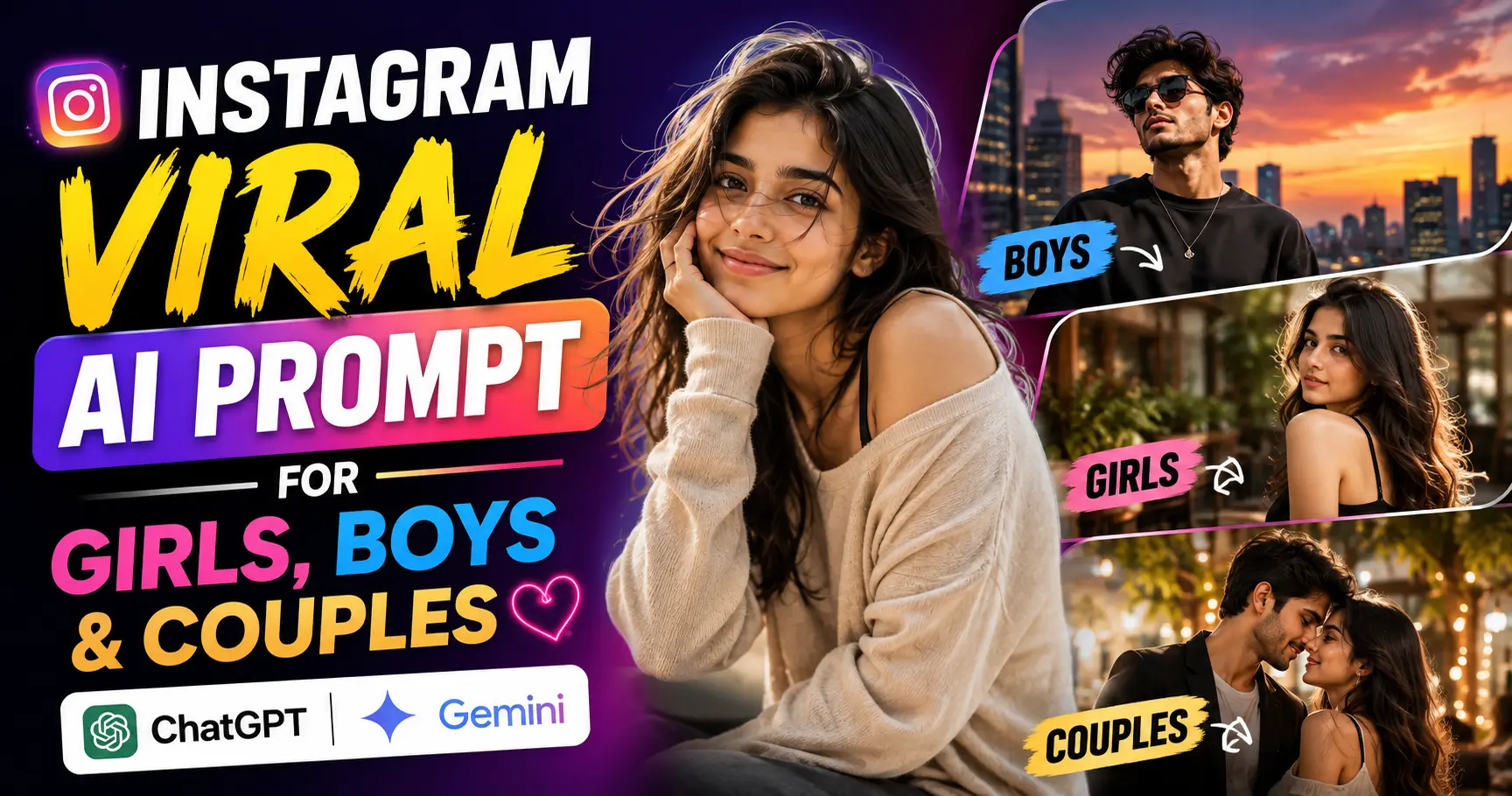
100 Viral AI Image Prompts for Girls, Boys & Couples (Copy & Paste) | Instagram Viral AI Prompt for Girls, Boys & Couples (ChatGPT Gemini)
AI-generated photos have become part of everyday social media culture.
Open Instagram or scroll through Reels for a few minutes and you will probably see them: cinematic rain portraits, retro digital-camera photos, luxury fashion shoots, dreamy couple pictures, Bollywood-inspired scenes and portraits that look as though they came from a professional magazine campaign.
The interesting part is that many of these images begin with an ordinary photo and a detailed text prompt.
The prompt matters.
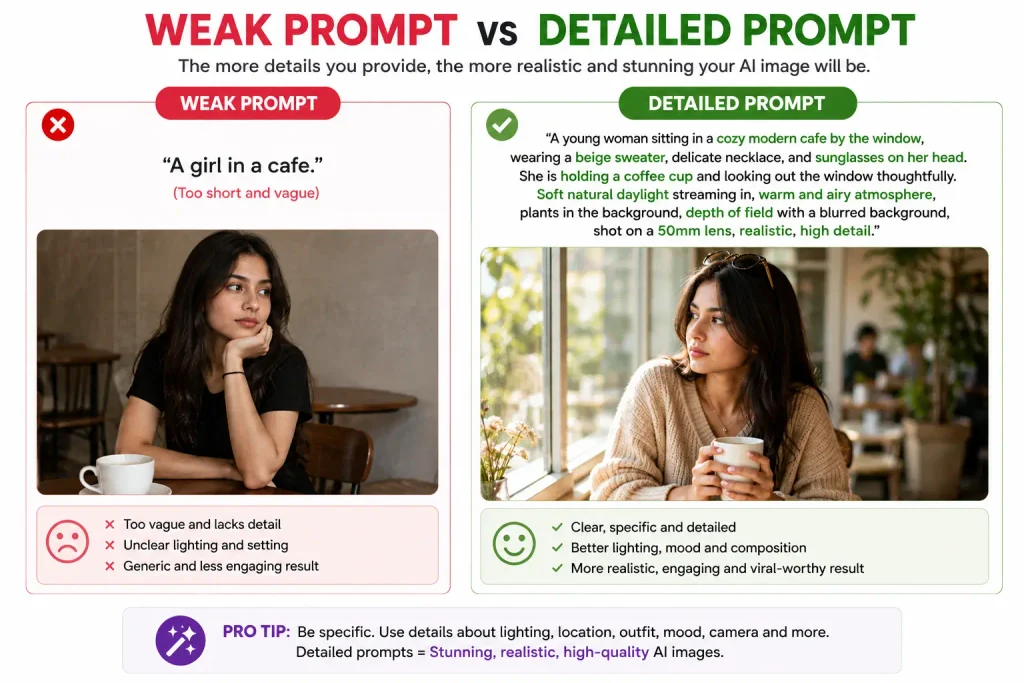
A request such as “make me look cinematic” gives an AI model a broad creative direction. A more detailed prompt can define the outfit, location, lighting, camera angle, mood and overall photography style.
That is why this collection is designed differently from a simple list of ideas.
Each of the 100 prompts below gives the AI a more complete visual brief.
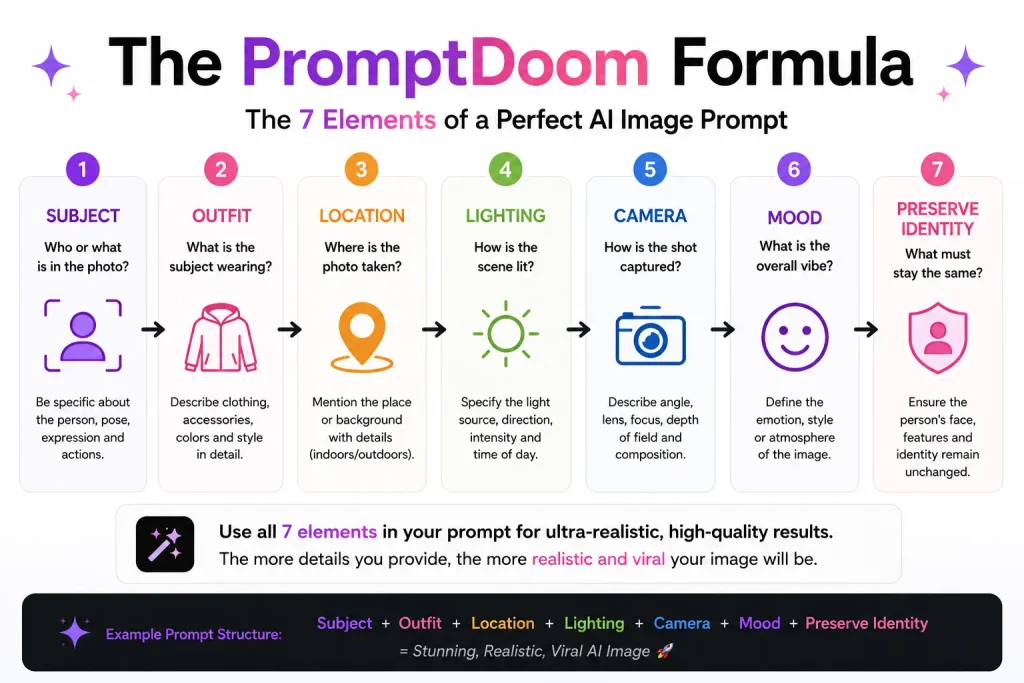
The basic formula is:
Subject + Outfit + Location + Lighting + Camera Style + Mood + Preservation Instructions
Google’s current Gemini documentation recommends describing the image style and providing detailed visual information about the subject, what the subject is doing and the background or setting. Gemini also supports uploading images and asking the AI to edit them in supported workflows.
Tip: If you are using your own photo as a reference, add instructions such as:
Preserve the person’s facial identity, natural skin tone and recognisable facial features.
That gives the model a clearer idea of which parts of the original image should remain consistent.
How to Use These Viral AI Image Prompts
- Open your preferred AI image tool, such as Gemini or ChatGPT (we use ChatGPT for better results).
- Upload a clear photo if you want the result to resemble you.
- Copy any one of the prompts given below in this article.
- Paste it into the chat with your image.
- Generate the result.
- Refine specific details with follow-up prompts if necessary.
Gemini’s official guidance recommends clearly describing the style, subject, action and setting. Its current image tools can also edit uploaded images and, in supported workflows, work with multiple image references.
100 Viral AI Image Prompts for Girls, Boys & Couples
Detailed, copy-paste-ready prompts with unique poses, outfits, environments, lighting, cinematic photography instructions, identity preservation, and @promptdoom watermark guidance.
👧 Girls — 40 Viral AI Image Prompts
Mirror Selfie Aesthetic
Y2K Fashion Portrait
Red Light Cinematic Portrait
Rainy Window Portrait
Old Money Luxury Portrait
Black Saree Cinematic Look
Red Saree Bollywood Portrait
Traditional Lehenga Photoshoot
Bridal Portrait
Street Style Fashion
iPhone Blurry Aesthetic
Golden Hour Portrait
Night City Flash Photography
Coffee Shop Aesthetic
Library Girl Aesthetic
K-Drama Style Portrait
Polaroid Vintage Portrait
2000s Digital Camera Look
Neon Cyberpunk Portrait
Soft Dreamy Portrait
Beach Sunset Photoshoot
Mountain Travel Portrait
Flower Garden Portrait
Paris Street Fashion
Luxury Hotel Portrait
Royal Queen Portrait
Angel Wings Fantasy
Butterfly Aesthetic
Dark Academia Look
Rockstar Concert Look
Formula 1 Paddock Style
Magazine Cover Photoshoot
Airport Fashion Look
Gym Aesthetic Portrait
Snow Winter Portrait
Monsoon Aesthetic
Red Carpet Celebrity Look
Studio Fashion Shoot
Mafia Boss Girl Look
Bollywood Movie Poster Look
👦 Boys — 30 Viral AI Image Prompts
Mafia Boss Cinematic Portrait
Old Money Fashion
Black Suit Luxury Portrait
Gym Transformation Aesthetic
Night City Flash Photography
Vintage Motorcycle Photoshoot
Formula 1 Racer Look
Streetwear Fashion
Rockstar Concert Portrait
Rainy Cinematic Portrait
Coffee Shop Aesthetic
Dark Academia Style
Airport Luxury Look
Mountain Adventure Portrait
Beach Sunset Portrait
Cyberpunk Neon Look
Vintage Gangster Inspired Style
Bollywood Hero Cinematic Look
Magazine Cover Portrait
Luxury Car Photoshoot
Royal King Portrait
Anime-Inspired Cinematic Portrait
Winter Fashion Portrait
Mirror Selfie Aesthetic
iPhone Blurry Aesthetic
Red Light Dramatic Portrait
Football Stadium Cinematic Look
Gaming Room Aesthetic
Hollywood Paparazzi Look
Professional Studio Portrait
❤️ Couples — 30 Viral AI Image Prompts
Romantic Rainy Street Scene
Bollywood Movie Poster Couple
Beach Sunset Romance
Traditional Indian Wedding Portrait
Royal King and Queen Portrait
Paris Romantic Street Photo
Coffee Date Aesthetic
Night City Flash Photography
Polaroid Couple Memories
Vintage 90s Romance
Motorcycle Couple Photoshoot
Mountain Travel Couple
Snowfall Romance
Monsoon Umbrella Scene
Red Saree Romantic Portrait
Black Outfit Luxury Couple
Old Money Couple Aesthetic
Matching Streetwear Couple
Mirror Selfie Couple
Airport Travel Couple
Candlelight Dinner Portrait
Flower Garden Romance
K-Drama Couple Scene
Cinematic Train Station Goodbye
Engagement Photoshoot
Pre-Wedding Cinematic Shoot
Magazine Cover Couple
Fantasy Angel Couple
Bollywood Dance Scene
Romantic Rooftop Night Portrait
How to Make These AI Prompts Look More Like You
Copying a prompt exactly is not always enough.
The strongest results usually come from adding a few personal details.
For example, instead of using:
Create a cinematic beach portrait.
Try:
Use the uploaded photo as the identity reference. Create a cinematic beach portrait during golden hour. Preserve my facial identity, hairstyle and natural skin tone. I am wearing a white linen shirt and standing near the shoreline. Soft warm sunlight, realistic shadows, shallow depth of field and professional travel photography.
The prompt now gives the AI more information about what matters.
A useful customisation framework is:
1. Identity
Add:
Preserve facial identity and recognisable features.
2. Outfit
Specify exactly what the person should wear.
3. Location
Describe the environment rather than relying only on generic words.
4. Lighting
Mention golden hour, direct flash, studio light, cloudy daylight or neon lighting.
5. Camera style
Try phrases such as:
- Editorial fashion photography
- Cinematic portrait photography
- Vintage film photograph
- Smartphone candid photo
- Studio photography
- Travel magazine photography
6. Mood
Choose a clear emotional direction:
- Dreamy
- Confident
- Romantic
- Dramatic
- Playful
- Nostalgic
- Luxurious
The PromptDoom Formula for Better AI Images
Instead of memorising hundreds of prompts, readers can use this reusable structure:
Create a [photography style] image of [subject] wearing [outfit] in [location]. Use [lighting style], [camera composition] and [mood]. Add [important visual details]. Preserve [identity, face, hairstyle, pose or other important features]. Keep the result [photorealistic/stylised/cinematic].
For example:
Create a cinematic editorial portrait of the woman from the uploaded photo wearing an elegant black saree in a modern luxury hotel. Use warm directional lighting, soft shadows and a medium close-up camera composition. Add realistic fabric movement and subtle film grain. Preserve her facial identity, natural skin tone and recognisable features. Keep the result photorealistic and sophisticated.
That formula can generate thousands of variations.
Common Mistakes That Make AI Images Look Fake
Asking for too many things at once
A prompt that requests a new face, outfit, location, hairstyle, pose, lighting and camera angle all at once can produce unpredictable results.
For important images, work in stages.
Start with the overall scene.
Then refine clothing.
Then adjust lighting or background details.
Forgetting to mention what should stay unchanged
This is particularly important when using your own photograph.
If facial identity matters, say so.
Useful phrases include:
- Preserve facial identity
- Keep recognisable facial features
- Maintain natural skin tone
- Keep hairstyle consistent
- Preserve body proportions
Using only vague adjectives
Words like beautiful, cool and amazing are open to interpretation.
Visual descriptions are usually more useful.
Instead of:
Make the photo beautiful.
Try:
Use soft golden-hour sunlight, shallow depth of field, natural skin texture and warm cinematic colour grading.
Overloading the prompt with trendy words
Adding cinematic, ultra-HD, 8K, viral, masterpiece, photorealistic repeatedly does not automatically improve the result.
Describe the image itself.
What is happening?
Where is the subject?
What is the lighting?
What should the composition look like?
Those details are usually more meaningful than a long chain of generic quality words.
Ignoring realism
A person wearing winter clothing on a tropical beach or standing under indoor lighting in a bright outdoor scene can make an image feel artificial.
Think about visual consistency:
- Does the clothing fit the location?
- Does the lighting match the environment?
- Do the shadows point in the right direction?
- Does the camera angle make sense?
Small details often make a bigger difference than dramatic prompt language.
Are These Prompts Only for Gemini?
No. The ideas can be adapted for different AI image-generation and image-editing tools.
However, prompt behaviour varies between models.
Google’s current Gemini guidance recommends starting with a clear generation request, describing the desired style and providing a detailed visual description of the subject and setting. Gemini can also edit uploaded images in supported experiences.
If you are using another tool, you may need to shorten, restructure or adapt the prompt.
Quick Tips Before You Generate
Use a clear reference image
If you want an AI-generated portrait to resemble you, start with a reasonably clear photograph where your face is visible.
Keep important instructions near the core request
Do not bury essential details under a long list of unrelated adjectives.
Iterate
If the first result is close, do not start from zero.
Try follow-up instructions such as:
Keep everything else the same, but make the lighting warmer.
Or:
Preserve the current composition, but make the background slightly more realistic.
Respect privacy and consent
Only upload and transform images you have the right to use, especially when other people are identifiable. Google’s image-generation guidance also reminds users to consider applicable terms, privacy and rights when creating or publishing generated images.
Frequently Asked Questions
What are the best viral AI image prompts for girls?
Popular styles include black saree cinematic portraits, Y2K fashion, mirror selfies, old-money fashion, red-light portraits, rainy-window photography, golden-hour photoshoots and Bollywood-inspired looks. The best prompt depends on the desired style, but detailed descriptions of lighting, outfit, location and composition usually provide better creative direction.
What are the best AI prompts for boys?
Trending styles include mafia-inspired fictional fashion portraits, old-money looks, streetwear photography, vintage motorcycle shoots, cinematic rain portraits, motorsport-inspired scenes, gaming-room aesthetics and professional studio portraits.
What are the best AI prompts for couples?
Popular couple prompts include beach sunsets, rainy streets, pre-wedding photoshoots, traditional wedding portraits, café dates, Polaroid memories, rooftop night scenes and cinematic travel photography.
Can I use my own photo with these prompts?
In supported AI tools, you can upload an image and ask the model to transform or edit it. Gemini’s current documentation specifically describes uploading images and asking Gemini to make edits.
How do I keep my face the same in an AI-generated photo?
Add instructions such as:
Preserve facial identity, recognisable facial features, natural skin tone and hairstyle.
Results can vary between tools, so you may need to refine the output with follow-up prompts.
Why does my AI photo not look realistic?
Common reasons include mismatched lighting, unnatural hands or accessories, inconsistent shadows, unrealistic skin texture and prompts that ask for too many transformations at once. Breaking a complex edit into smaller steps can help.
Are long AI prompts always better?
No. A long prompt can still be vague. The best prompts are clear about the subject, environment, style and important details that should remain unchanged.
Can I use these prompts for Instagram and Reels?
Yes. These prompts are particularly suited to visually striking portrait styles that can work well for social media posts, Reels covers, profile images and creative photo content. Before publishing, review the final image for accuracy and make sure you have the rights and consent to use any identifiable person’s likeness.