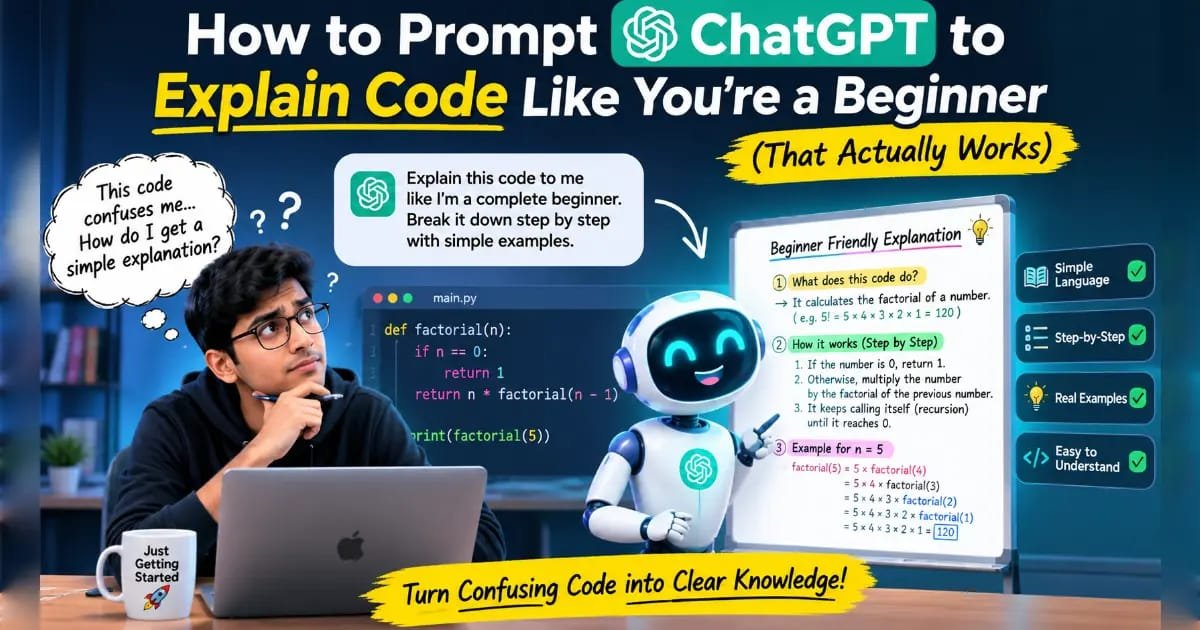
How to Prompt ChatGPT to Explain Code Like You’re a Beginner (That Actually Works)
“Explain this code like I’m a beginner” is one of the most commonly recommended ChatGPT prompts for anyone learning to code, and it’s also one of the more frequently disappointing ones in practice. Sometimes it works well. Just as often, it comes back with an explanation that still uses a term like “instantiate” or “iterable” without defining it, or spends three paragraphs explaining what a variable is when the reader already knows that and just wants to understand a specific unfamiliar function three lines down. The phrase isn’t wrong, exactly — it’s just too vague to reliably communicate what “beginner” actually means for the specific person typing it.
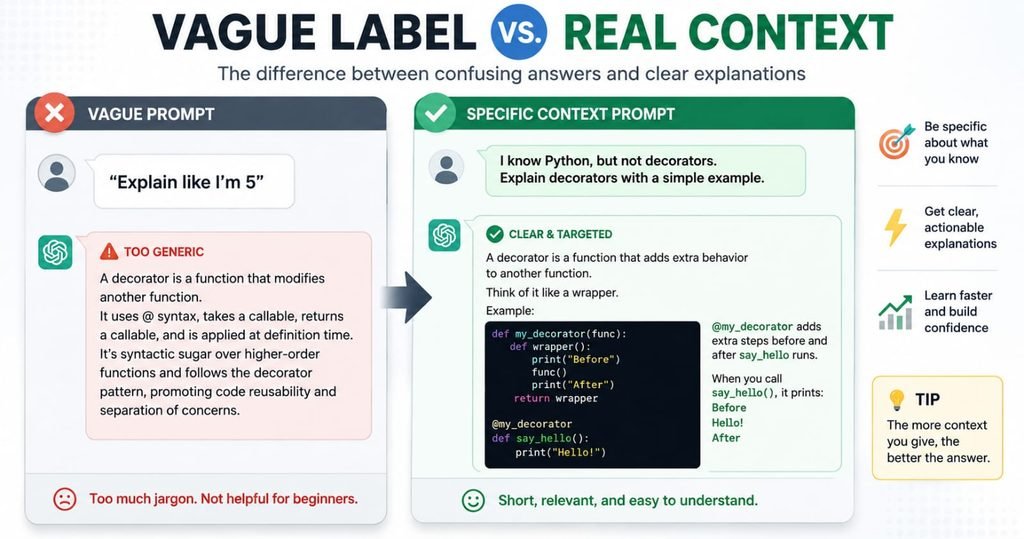
The fix isn’t a more elaborate version of the same phrase. It’s replacing the label entirely with an actual description of what you already know and don’t know, which gives ChatGPT a real baseline to calibrate against instead of a guess.
Why “Explain Like I’m a Beginner” Often Falls Short
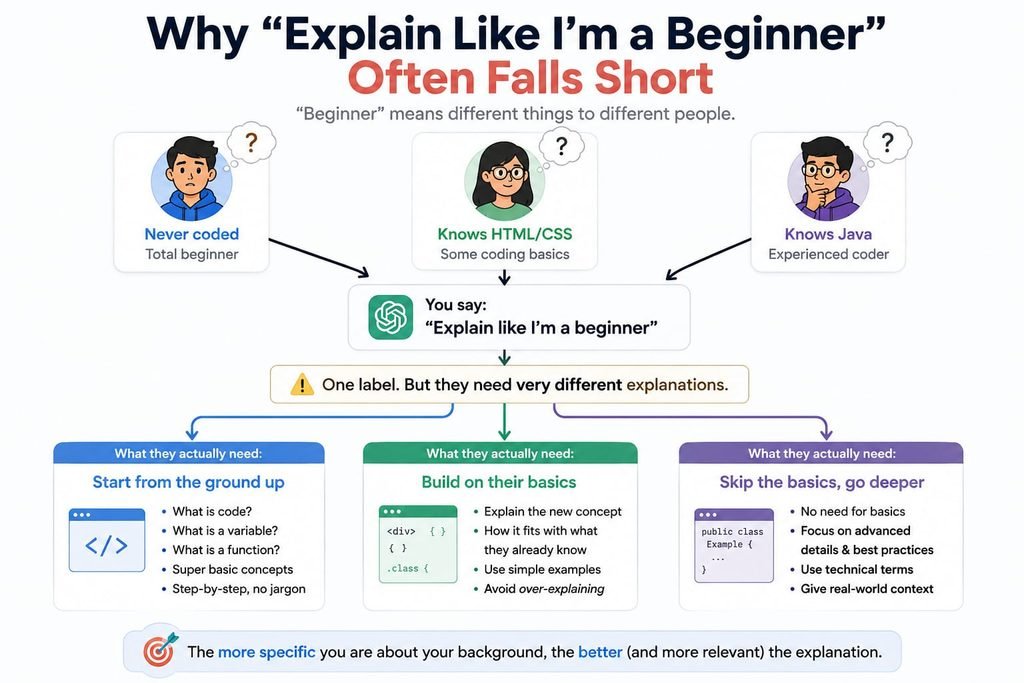
“Beginner” describes a huge range of actual knowledge. Someone who’s never written a line of code, someone who knows HTML and CSS but not JavaScript, and someone who’s fluent in Java but reading Python for the first time are all reasonably describable as beginners in different contexts — yet each needs a meaningfully different explanation of the same ten lines of code. Without knowing which one you are, ChatGPT has to guess, and it often guesses by producing a generic, moderately-simplified explanation that partially over-explains and partially under-explains at the same time.
The Fix: State What You Actually Know, Not a Vague Label
Prompt: “Here’s some code: [paste code]. Here’s my background: [describe what you actually know — e.g., ‘I’ve completed a basic Python course and understand variables, loops, and functions, but I’ve never seen a dictionary comprehension or the zip() function before’]. Explain what this code does, but only define terms or concepts I haven’t already told you I know.”
This single change — replacing “beginner” with a specific, honest description of your actual knowledge — is the biggest lever in this entire topic. It lets ChatGPT skip explaining things you’ve already said you understand, and spend its explanation on the actual unfamiliar part, instead of guessing at a one-size-fits-all difficulty level.
Prompts for Explaining Code Line by Line
Prompt: “Here’s some code: [paste code]. My background: [state it]. Go through it line by line and explain what each line does and why it’s there. If a line depends on understanding an earlier line, mention that connection explicitly.”
Line-by-line explanations work best for short, self-contained snippets — a single function or a short script — rather than an entire file, since asking for this level of detail across a large file usually produces something too long to actually absorb.
Prompts for Understanding “Why,” Not Just “What”
Prompt: “Here’s some code: [paste code]. I understand what each line technically does, but I don’t understand why it’s written this way instead of a simpler alternative. What problem does this approach solve that a more obvious approach wouldn’t?”
This prompt targets a different kind of confusion than a basic explanation does. It’s common to be able to read every individual line of a piece of code and still not understand why the author chose that particular structure — a list comprehension instead of a loop, a recursive function instead of an iterative one — and this prompt is built specifically to close that gap.
Prompts for Connecting New Code to What You Already Know
Prompt: “I know [language/concept you’re comfortable with, e.g., ‘JavaScript arrays and for loops’]. Here’s some Python code that does something similar: [paste code]. Explain it by comparing it directly to how I’d do the same thing in [your known language], pointing out what’s different and why.”
Anchoring a new concept to something already familiar tends to produce a much faster “click” than a standalone explanation, because it gives you a direct mental translation rather than an entirely new framework to absorb from scratch.
What to Do When the First Explanation Still Doesn’t Click
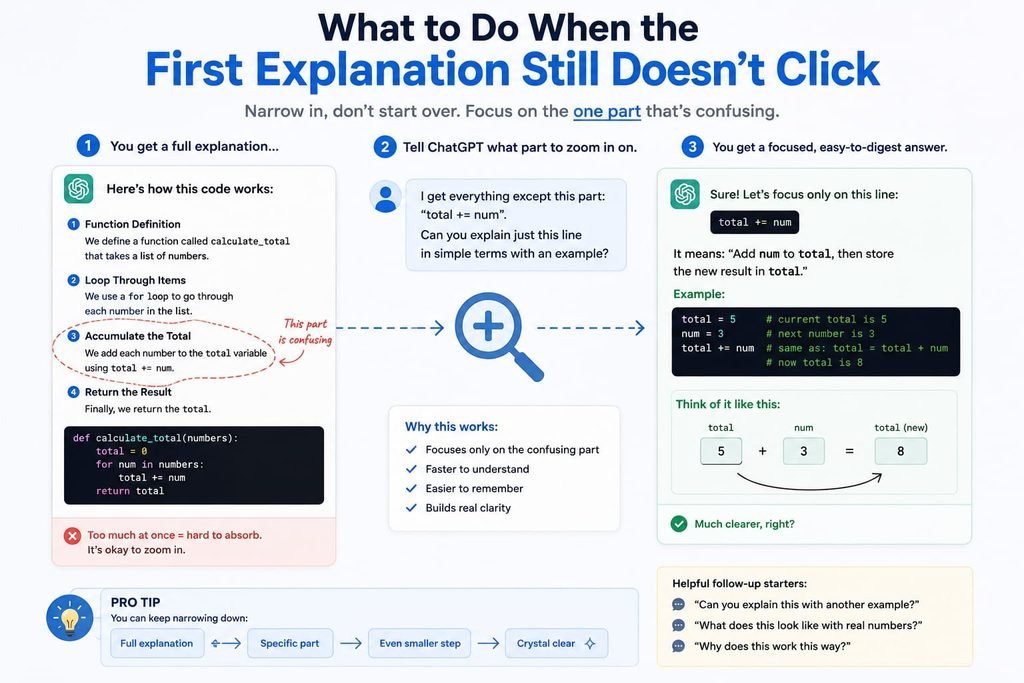
Sometimes even a well-specified prompt produces an explanation that doesn’t land, and the instinct is often to ask for the whole thing again from scratch. A better approach is narrowing in on exactly what’s still unclear.
Prompt: “Your explanation made sense up until [the specific part — e.g., ‘the part about how the dictionary gets updated inside the loop’]. Can you explain just that part again, more slowly, and give me a small standalone example that isolates just that behavior?”
Isolating the specific point of confusion, rather than requesting a full re-explanation, usually produces a sharper and shorter answer — and the standalone example it generates can be tested and modified directly, which often does more for understanding than another paragraph of prose would.
A Worked Example: Vague Prompt vs. Specific Background
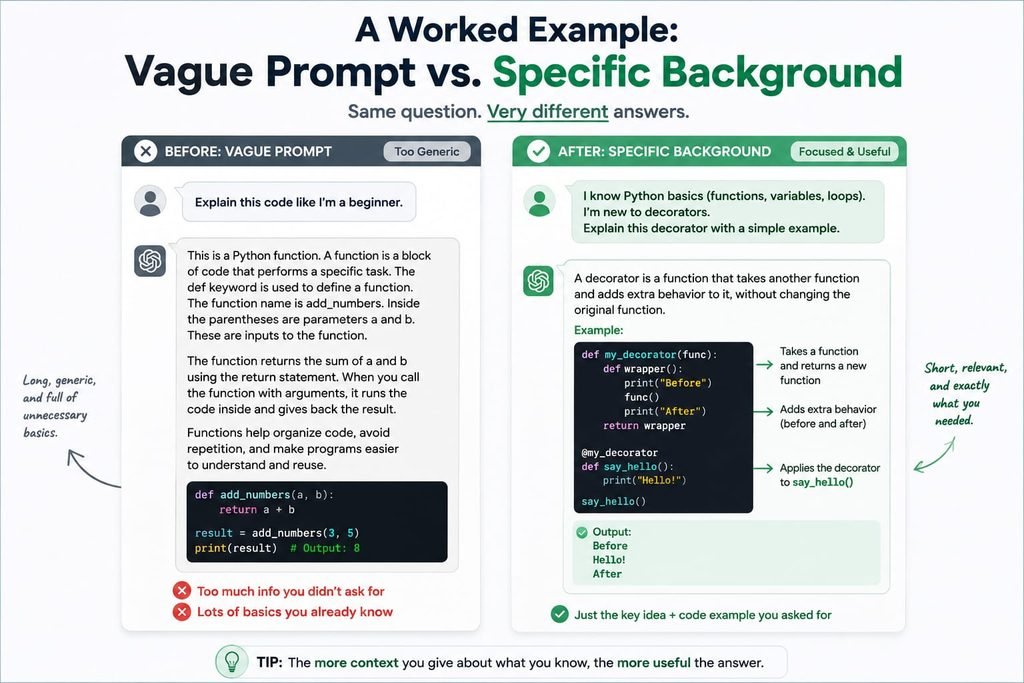
Code: A short Python snippet using a dictionary comprehension: squares = {x: x**2 for x in range(1, 6)}
Vague prompt: “Explain this code like I’m a beginner: squares = {x: x**2 for x in range(1, 6)}”
Generic response: A multi-paragraph explanation covering what a dictionary is, what a loop is, what the range() function does, and finally, briefly, what a dictionary comprehension is — spending most of its length on concepts the reader likely already knew, since “beginner” gave no signal to skip them.
Specific-background prompt: “Here’s some code: squares = {x: x**2 for x in range(1, 6)}. My background: I understand loops, functions, and regular dictionaries, but I’ve never seen the {key: value for x in range} syntax before. Explain just that part.”
Resulting response: A focused explanation of dictionary comprehension syntax specifically — that it’s a compact way to build a dictionary in one line instead of writing a loop with .update() calls, followed by what the equivalent longer loop version would look like side by side for direct comparison — with no unnecessary explanation of loops, functions, or basic dictionaries, since those were already ruled out.
The second version is shorter, more useful, and took the same amount of effort to write — the only difference is that it told ChatGPT exactly where the actual gap in understanding was, instead of leaving it to guess.
Building This Into an Actual Learning Habit
Used consistently, these prompts do more than clarify one confusing line of code. Stating your actual knowledge baseline each time, rather than defaulting to “explain like I’m a beginner,” builds a habit of noticing precisely what you don’t understand instead of vaguely feeling behind — which is itself a genuinely useful skill for learning to code, independent of whether ChatGPT is involved. Typing the code out and running small variations of it after getting an explanation, rather than only reading the explanation, also reinforces the concept in a way that passive reading alone tends not to.
What the Evidence Suggests
The recurring theme across guidance on this topic is that explanation quality tracks the specificity of the stated baseline, not the cleverness of the phrasing used to request simplicity. “Explain like I’m 5” or “explain like I’m a beginner” gives ChatGPT almost nothing to calibrate against, while a short, honest description of what you already know and don’t know consistently produces a tighter, more useful explanation. The same principle extends to follow-up questions — isolating exactly what’s still unclear works better than requesting a full re-explanation from the top.