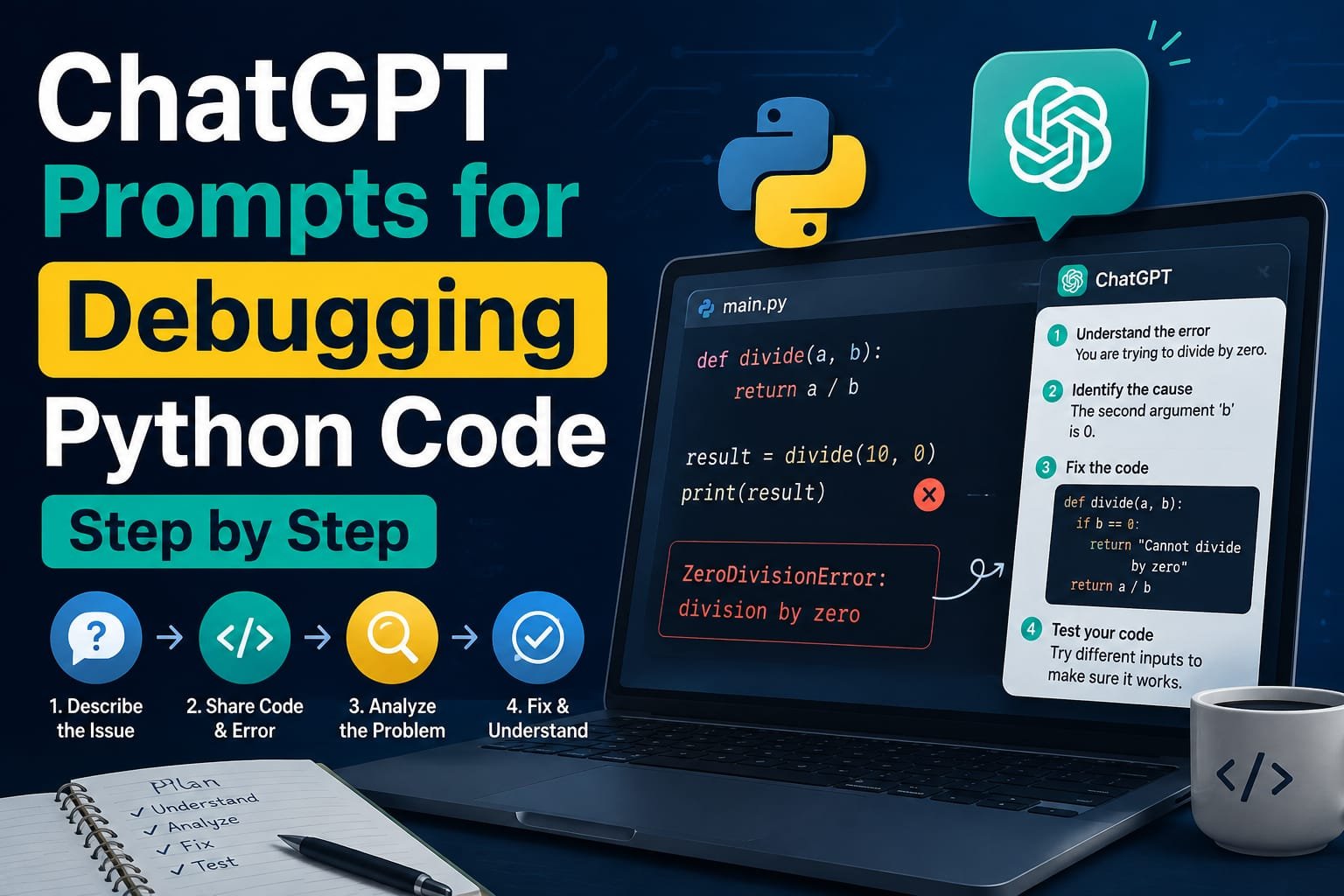
ChatGPT Prompts for Debugging Python Code Step by Step (With Examples)
Not every Python bug looks the same, and treating them as if they do is the biggest reason a ChatGPT debugging prompt sometimes comes back with a fix that doesn’t actually solve anything. A bug that crashes the program with a traceback is a fundamentally different problem than a bug that runs cleanly and just produces the wrong number, the wrong sorted order, or an empty result where there should be data. The first gives ChatGPT a specific error type and line number to work from. The second gives it nothing unless the prompt is built to compensate for that missing signal.
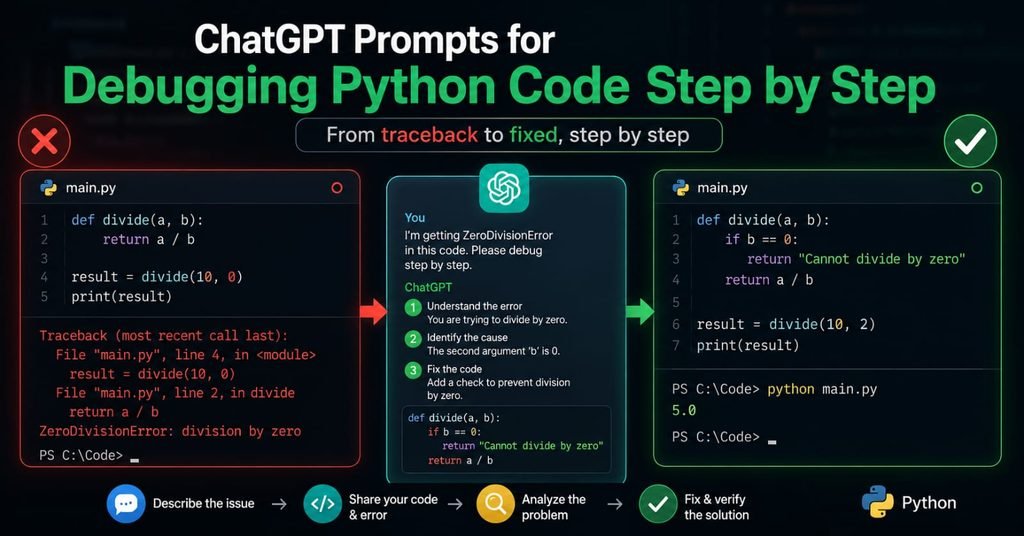
Most debugging guides treat these as the same situation and offer one generic “paste code, paste error, get fix” template. The prompts below split them apart deliberately, because a silent logic bug needs a completely different approach than a crash — and getting that distinction right is most of what separates a debugging prompt that works from one that just produces a confident-sounding guess.
Path One: Debugging a Crash With a Visible Error
When Python throws an actual error — a traceback ending in something like IndexError, TypeError, or KeyError — the fix starts with giving ChatGPT the complete picture, not a summary of it.
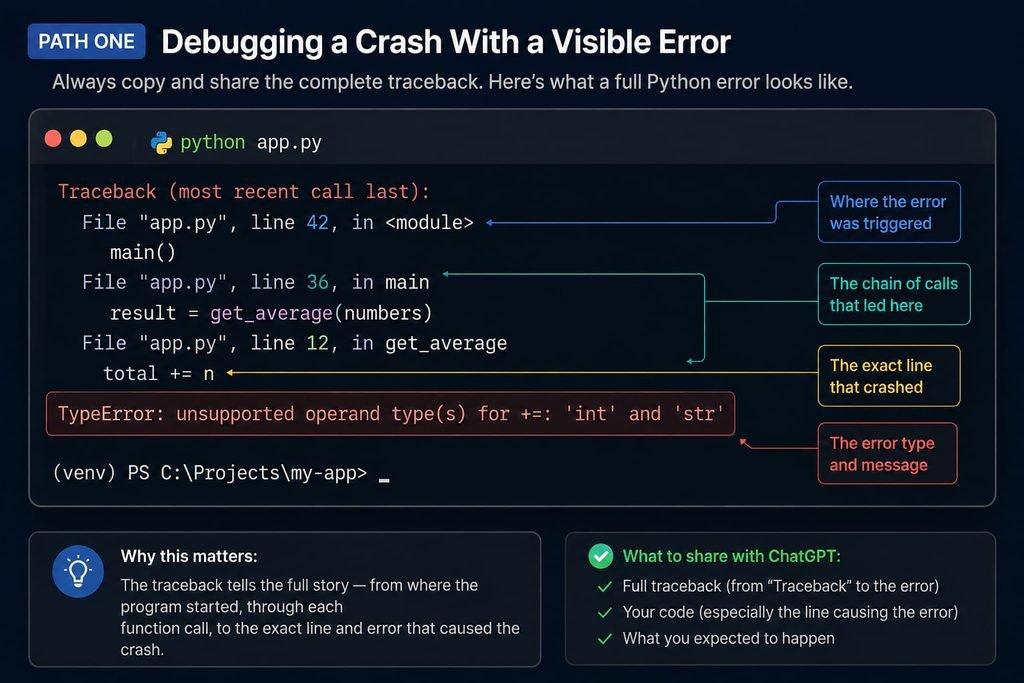
Prompt: “Here’s my Python code: [paste the full function or relevant block]. Running it produces this error: [paste the entire traceback, not just the last line]. I’m trying to [describe what the code is supposed to do]. What’s causing this error, and how do I fix it?”
Pasting the entire traceback matters more than it might seem. The last line of a traceback names the error type, but the lines above it show the exact call chain that led there — and that chain often points to the real source of the problem, which can be several function calls away from where the error actually surfaced.
Example: Python
my_list = [10, 20, 30]
print(my_list[3])
IndexError: list index out of rangeFed this code and error together, ChatGPT can identify that the list only has three items (indices 0 through 2), so accessing index 3 is out of range, and suggest either correcting the index or adding a length check before accessing it. That specific, correct diagnosis is only possible because both the code and the exact error were provided together — describing the error from memory as “it’s not working” would produce a far vaguer response.
Path Two: Debugging Code That Runs But Gives the Wrong Result
This is the harder category, precisely because there’s no error message to anchor the prompt. The fix is to describe the gap between expected and actual behavior as specifically as an error message would be.
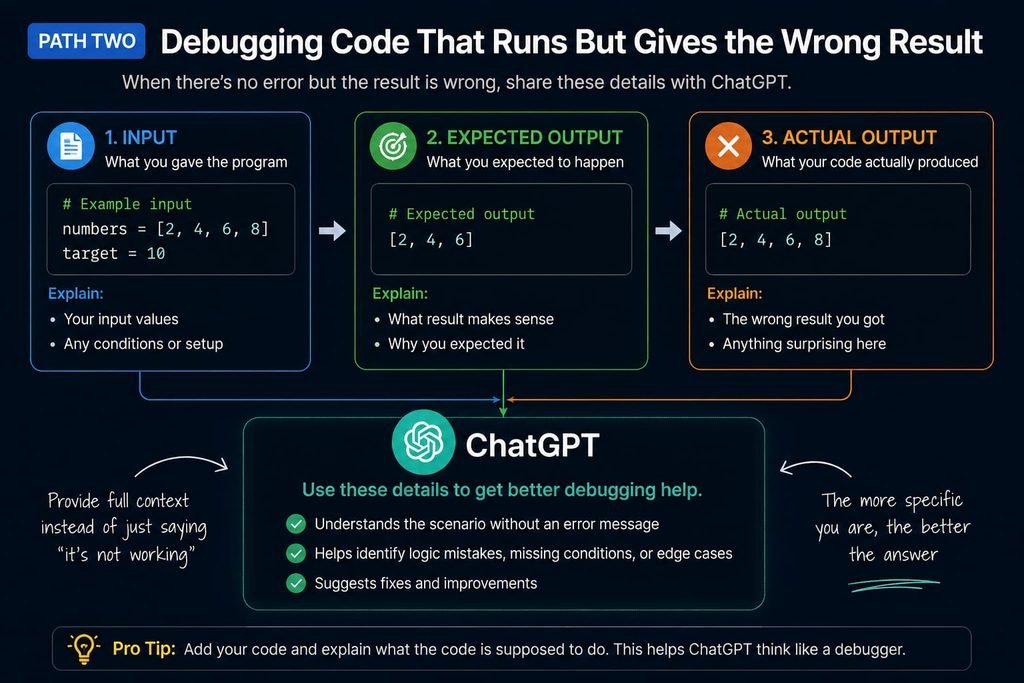
Prompt: “Here’s my Python code: [paste the code]. It runs without any error, but the result is wrong. Given this input: [describe or paste the actual input], I expected this output: [describe the expected result], but I got this instead: [describe or paste the actual result]. Walk through the logic step by step and tell me where it diverges from what I expect.”
The phrase “walk through the logic step by step” is doing important work here. Asked generically to “find the bug,” ChatGPT will often scan for anything that looks syntactically unusual. Asked to trace through the logic against a specific input and a specific expected output, it’s forced to simulate execution rather than pattern-match for suspicious-looking lines — which is a meaningfully more reliable way to catch an off-by-one error, a misplaced condition, or a variable that isn’t being updated where it should be.
A Technique That Prevents Confidently Wrong Fixes
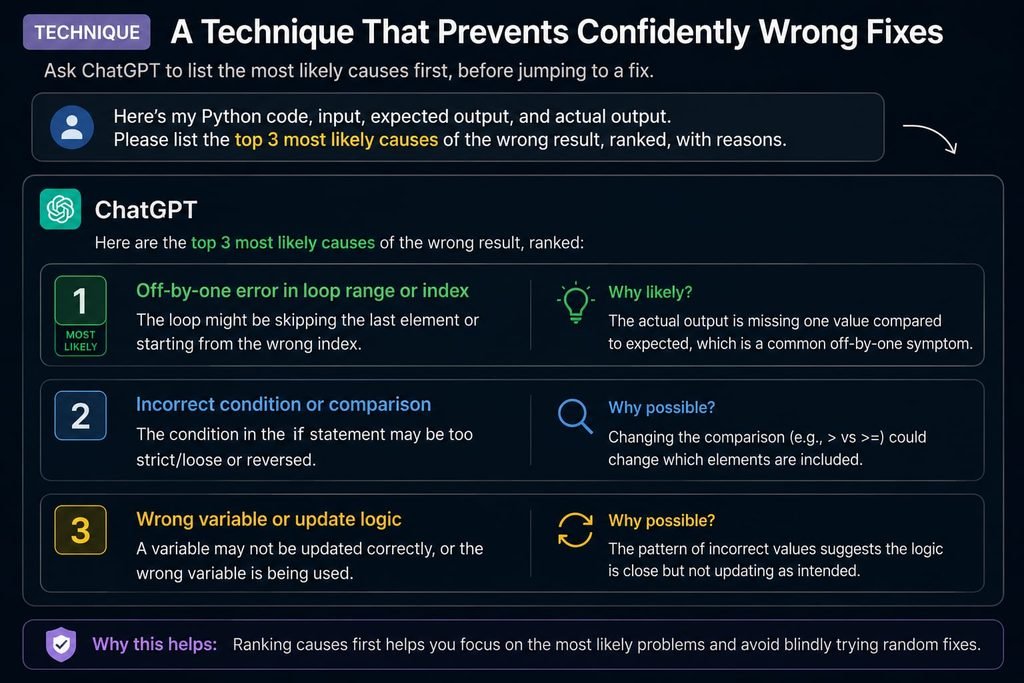
One recurring failure mode with debugging prompts, in either path above, is that ChatGPT can apply a fix confidently even when it hasn’t actually identified the real cause — especially when a bug has more than one plausible explanation. A structural fix for this:
Prompt: “Before proposing a fix, give me three possible causes for this bug, ranked from most to least likely, based on the code and behavior I’ve described. Explain the reasoning for each one.”
This forces a diagnostic step before a corrective one, and it’s often where the most useful information in the entire exchange shows up — because comparing the three candidate explanations against your own knowledge of the code frequently reveals which one is actually correct, even before ChatGPT proposes any fix at all.
Prompting for a Line-by-Line Walkthrough
For genuinely confusing bugs, especially in code you didn’t write yourself or haven’t touched in a while, it helps to have ChatGPT explain the code’s logic before asking it to find anything wrong.
Prompt: “Walk me through what this code does, line by line, as if I’ve never seen it before: [paste code]. Explain the purpose of each variable, loop, and function call.”
Running this before a debugging prompt often surfaces the bug on its own — many logic errors become obvious once the code’s intended behavior is stated explicitly line by line, rather than read silently and skimmed for something that looks wrong.
Asking ChatGPT to Act as a Reviewer, Not Just a Fixer
Prompt: “Act as a senior Python code reviewer. Review this function for bugs, edge cases it doesn’t handle, and any logic that could fail on unexpected input: [paste code]. For each issue, explain what could go wrong and suggest a fix.”
Role-based framing like this tends to produce a more thorough response than a bare “find bugs in this code” request, because it implicitly asks for edge-case coverage — empty inputs, unexpected types, boundary values — rather than just the specific bug that’s currently causing a visible problem.
What to Include Every Time, Regardless of Bug Type
A few details are worth including in nearly every debugging prompt, since their absence is the most common reason a first response misses the mark: the Python version you’re using, since behavior occasionally differs across versions; the full function or class the buggy line lives in, not just the single line itself, since surrounding context often matters; and what you’ve already tried, so ChatGPT doesn’t suggest a fix you’ve already ruled out.
What This Means for Building a Faster Debugging Habit
Used well, these prompts do more than fix the immediate bug — they build a habit of reading tracebacks and reasoning through logic more carefully over time. A beginner who consistently asks ChatGPT to explain why a bug happened, not just to hand back corrected code, tends to stop making that specific category of mistake within a few repetitions. Treating each debugging exchange as a short lesson, rather than a quick fix to copy and move past, is what turns AI-assisted debugging into an actual skill-building process instead of a permanent crutch.
What the Evidence Suggests
Across the guidance reviewed for this article, the debugging prompts that consistently work well share two traits: they provide complete, specific information — the full traceback or a precise description of expected versus actual behavior — rather than a summary, and they ask ChatGPT to reason or diagnose before jumping to a fix. Prompts that skip either step tend to produce answers that sound plausible but don’t reliably identify the actual cause, particularly for logic bugs that don’t announce themselves with an error message.
Frequently Asked Questions
Should I paste the whole traceback or just the last line of the error?
The whole traceback. The final line names the error type, but the lines above it show the call chain that led there, which often points to the actual source of the bug rather than just where it surfaced.
How do I debug code that doesn’t throw an error but gives the wrong result?
Describe the input you used, the output you expected, and the output you actually got, then ask ChatGPT to walk through the logic step by step against that specific comparison. This replaces the missing error message with an equally specific signal to work from.
Why does ChatGPT sometimes suggest a fix that doesn’t actually solve my bug?
This usually happens when it jumps straight to a fix without first considering multiple possible causes. Asking it to list a few ranked possible causes before proposing a fix reduces the chance of a confidently wrong correction.
Do I need to paste my entire file, or just the buggy function?
Usually just the relevant function or class, along with enough surrounding context, such as imports and related variables, to be self-contained. Pasting an entire large file often buries the relevant part rather than helping.
Is it useful to ask ChatGPT to act as a “senior code reviewer” instead of just asking for a bug fix?
Yes. Role-based framing tends to produce a more thorough response that also covers edge cases and potential failure points, not just the one specific issue currently causing a visible problem.
Can these prompts help me learn to debug better on my own, not just fix this one bug?
Yes, if you consistently ask for the reasoning behind a bug rather than just the corrected code. Understanding why a mistake happened is what prevents the same category of bug from recurring in future code.